Day 19: Configuration page for the NanoESP

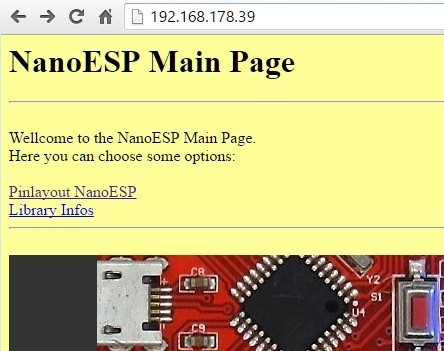
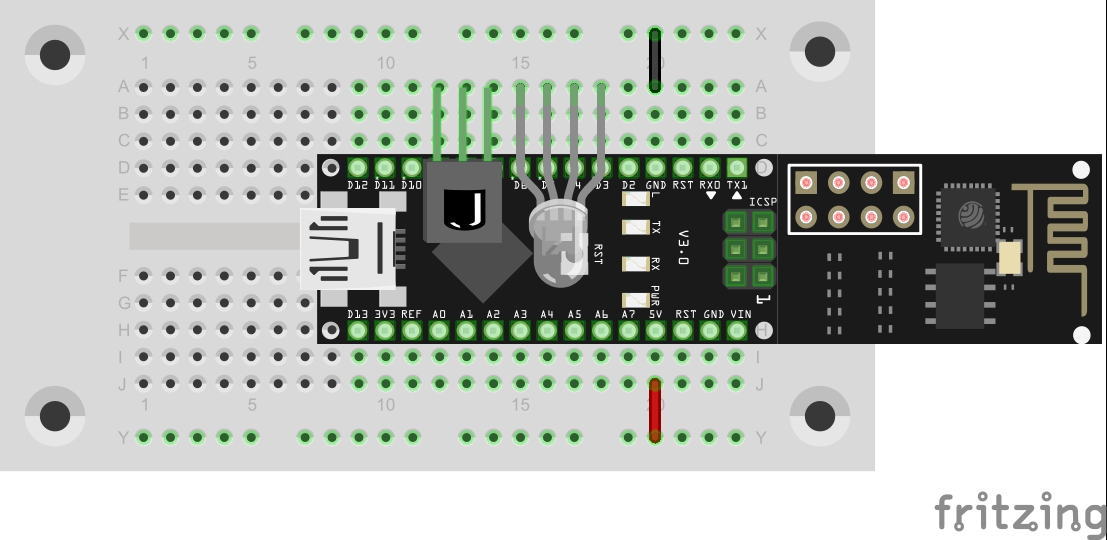
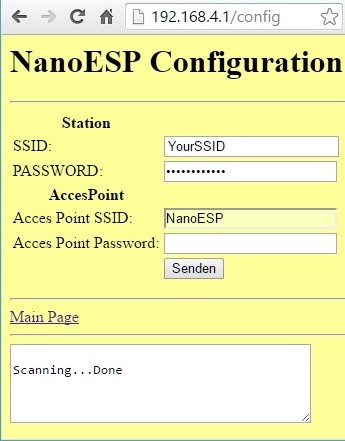
Behind today’s door is another cable. With the two cables it’s possible, for example, to place the RGB LED apart from the board. We’ll need the RGB LED today because the test is about a website with which you can adjust its colours. But that’s not the main aspect: To make the configuration of the NanoESP board especially easy not just for programmers, there is a configuration page through which the WLAN data of the module can be adjusted. But first to the set-up. You see it in the following picture. ...

19.12.2016 · 5 min · Fabian Kainka

Day 18: Weather monitoring

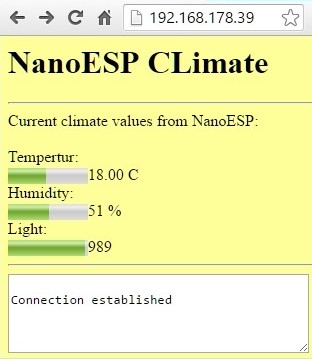
Behind today’s door is a very special component, namely a humidity sensor. Together with the phototransistor and the NTC, it creates a weather station for at-home use. The following layout is necessary for this purpose: The layout with all sensors (resistors 1 kohm) Today’s layout is a bit fiddly. Especially at the point where the potentiometer on the right of the image sits, it touches the NanoESP. But that’s not really a problem as long as the contact on the left of the image is plugged firmly into the board. ...

18.12.2016 · 4 min · Fabian Kainka

Day 17: Wake Up Light

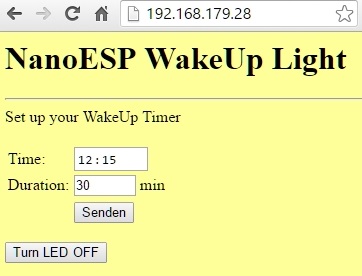
Today’s project deals with a well-known lamp from Phillips, the Wake Up Light. This is an alarm clock that, instead of making a loud noise, slowly increases the brightness. This creates a type of sunrise, and one wakes up in a natural manner. Behind today’s door is another potentiometer, which is important for tomorrow’s test. The following layout is required today: The RGB LED with series resistors The sketch: A16_P17_WakeUpLight.ino /* TCP-Server: Wakeup light Change SSID and PASSWORD. RGB-Led (common cathode) on Pins 3,5,6 */ #include <NanoESP.h> #include <NanoESP_HTTP.h> #include <SoftwareSerial.h> #include "Websites.h" #include <math.h> #include <Time.h> #define SSID "YourSSID" #define PASSWORD "YourPassword" #define LED_WLAN 13 #define RED 3 #define GREEN 5 #define BLUE 6 #define GND 4 #define BUTTON 7 NanoESP nanoesp = NanoESP(); NanoESP_HTTP http = NanoESP_HTTP(nanoesp); //String timeServerIP = ; // time.nist.gov NTP server address String ntpServerName = "195.145.119.188";//"time.nist.gov"; const int NTP_PACKET_SIZE = 48; // NTP time stamp is in the first 48 bytes of the message byte packetBuffer[NTP_PACKET_SIZE]; //buffer to hold incoming and outgoing packets int alarmHour = 0, alarmMinute = 2; bool alarm; byte cRed = 0, cBlue = 0, cGreen = 0; unsigned long previousMillis = 0; // will store last time a msg was send unsigned long interval = 78; // void setup() { Serial.begin(19200); nanoesp.init(); pinMode(RED, OUTPUT); pinMode(GREEN, OUTPUT); pinMode(BLUE, OUTPUT); pinMode(GND, OUTPUT); digitalWrite(GND, LOW); pinMode(BUTTON, INPUT); //Only Station Mode for TimeSync nanoesp.configWifiMode(STATION); //delay(1000); // Wait till Connected to WiFi if (nanoesp.wifiConnected())digitalWrite(LED_WLAN, HIGH); else Serial.println(F("Error WLAN Connect")); //Start TCP Server if (nanoesp.startTcpServer(80)) Serial.println(F("TCP Server Activ")); else Serial.println(F("TCP Server Error")); //Print IP in Terminal Serial.println(nanoesp.getIp()); setSyncProvider(getNtpTime); Show_Time(); } time_t getNtpTime() { //convert to time_t , Paramter: connectionId, ServerAdress, Timezone return (time_t)getNTPpacket(4, ntpServerName, 2); } void loop() { String method, ressource, parameter; int id ; if (http.recvRequest(id, method, ressource, parameter)) { Serial.println("New Request from id :" + String(id) + ", method: " + method + ", ressource: " + ressource + " parameter: " + parameter); if (ressource == "/") { http.sendFromFlash(id, index, sizeof(index)); nanoesp.closeConnection(id); } if (ressource == "/settimer") { if (parameter != "") { //timer=02%3A03& String sHour = parameter.substring(parameter.indexOf('=') + 1, parameter.indexOf('%')); String sMin = parameter.substring(parameter.indexOf('A') + 1, parameter.indexOf('&')); String sDuration = parameter.substring(parameter.indexOf('&') + 1); sDuration = sDuration.substring(sDuration.indexOf('=') + 1, sDuration.indexOf('&')); alarmHour = sHour.toInt(); alarmMinute = sMin.toInt(); int iDuration = sDuration.toInt(); interval *= iDuration; Serial.println("Timer: " + String(alarmHour) + ":" + String(alarmMinute) + " Duartion: " + String (iDuration) ); Show_Time(); } nanoesp.closeConnection(id); } if (ressource == "/turnoff") { alarm = false; cRed = 0; cBlue = 0; cGreen =0; analogWrite(RED,cRed); analogWrite(BLUE,cBlue);analogWrite(GREEN,cGreen); } else { http.sendFromFlash(id, error404, sizeof(error404)); nanoesp.closeConnection(id); } } else { if (hour() == alarmHour) { if (minute() == alarmMinute) { if (!alarm) alarm = true; } } if (alarm) wakeUp(); } } void MorningAlarm() { Serial.println("Alarm: - turn lights off"); } void wakeUp() { if (millis() - previousMillis >= interval) { previousMillis = millis(); if (cRed == 0) Show_Time(); if (cRed < 255) { cRed++; analogWrite(RED, cRed ); } else { if (cGreen < 255) { cGreen++; analogWrite(GREEN, cGreen); } else { if (cBlue < 255) { cBlue++; analogWrite(BLUE, cBlue ); if (cBlue == 255) Show_Time(); } } } } } // prepare an NTP request to the time server and send to the given bool sendNTPpacket(int id, String address) { // set all bytes in the buffer to 0 memset(packetBuffer, 0, NTP_PACKET_SIZE); // Initialize values needed to form NTP request // (see URL above for details on the packets) packetBuffer[0] = 0b11100011; // LI, Version, Mode packetBuffer[1] = 0; // Stratum, or type of clock packetBuffer[2] = 6; // Polling Interval packetBuffer[3] = 0xEC; // Peer Clock Precision // 8 bytes of zero for Root Delay & Root Dispersion packetBuffer[12] = 49; packetBuffer[13] = 0x4E; packetBuffer[14] = 49; packetBuffer[15] = 52; // // if we need a cr/lf // packetBuffer[NTP_PACKET_SIZE ] = 0x0D; packetBuffer[NTP_PACKET_SIZE + 1] = 0x0A; // all NTP fields have been given values, now // you can send a packet requesting a timestamp: if ( nanoesp.sendRaw(id, packetBuffer, NTP_PACKET_SIZE)) return true; return false; } long getNTPpacket(int id, String address, int timeZone) { unsigned long secsSince1900; byte offset = 40; if (!nanoesp.newConnection(id, UDP, address, 123)) Serial.println ("no connection ntp server"); //NTP requests are to port 123 delay(100); if (!sendNTPpacket(id, address)) { Serial.println("No time request send"); return 0; } nanoesp.setTimeout(2000); if (nanoesp.find("+IPD,")) { int vid = nanoesp.parseInt(); nanoesp.find(","); int len = nanoesp.parseInt(); //Serial.println(String(len)); byte buffer[len]; nanoesp.find(":"); nanoesp.readBytes(buffer, 48); // for (int i = 0; i <= NTP_PACKET_SIZE; i++) { // Serial.print(buffer[i], HEX); // } // convert four bytes starting at location 40 to a long integer secsSince1900 = (unsigned long)buffer[offset + 0] << 24; secsSince1900 |= (unsigned long)buffer[offset + 1] << 16; secsSince1900 |= (unsigned long)buffer[offset + 2] << 8; secsSince1900 |= (unsigned long)buffer[offset + 3]; nanoesp.find("OK\r\n"); nanoesp.closeConnection(id); // return secsSince1900 + timeZone * SECS_PER_HOUR; // NTP Date return secsSince1900 - 2208988800UL + timeZone * SECS_PER_HOUR; // UNIX Date } else { Serial.println("no time recieved"); nanoesp.closeConnection(id); return 0; } } void Show_Time() { String shour, sminute, ssecond; Serial.print("Date: "); Serial.print(day()); Serial.print("."); Serial.print(month()); Serial.print("."); Serial.println(year()); if (hour() <= 9) shour = "0" + String(hour()); else shour = String(hour()); // adjust for 0-9 if (minute() <= 9) sminute = "0" + String(minute()); else sminute = String(minute()); if (second() <= 9) ssecond = "0" + String(second()); else ssecond = String(second()); Serial.println( "Time: " + shour + ":" + sminute + ":" + ssecond ); } (The former Arduino Create embed is no longer available; the code is taken from the download of all sketches.) ...
17.12.2016 · 5 min · Fabian Kainka

Day 16: A web server piano

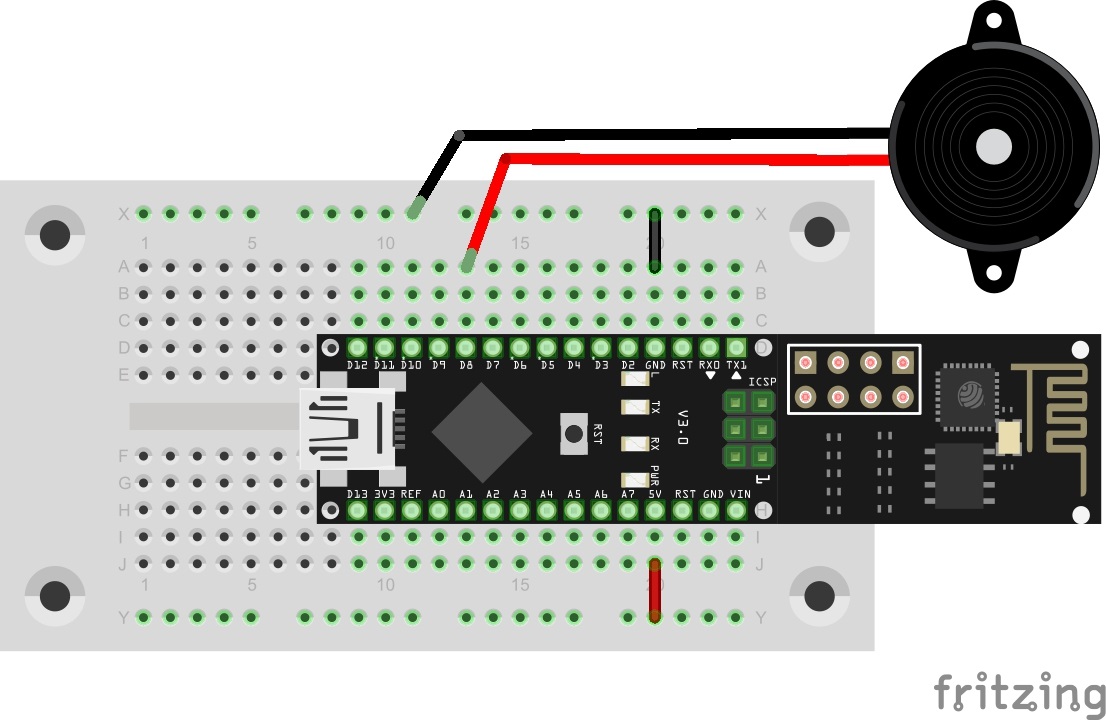
Behind today’s door is a piezo sound transducer. It’s possible to generate sounds with it, which will become clear in today’s test. Today you’re building a type of piano that can be used via a website. See the following picture for the layout: The correct connection of the piezo sound transducer The sketch: A16_P16_WebserverPiano.ino /* TCP-Server Piano Change SSID and PASSWORD. */ #include <NanoESP.h> #include <NanoESP_HTTP.h> //special library for http-connection #include <SoftwareSerial.h> #include "Websites.h" //websites in a special file as progmem #define SSID "YourSSID" #define PASSWORD "YourPassword" #define LED_WLAN 13 NanoESP nanoesp = NanoESP(); NanoESP_HTTP http = NanoESP_HTTP(nanoesp); void setup() { Serial.begin(19200); nanoesp.init(); //! Only if you want to change the ACCESPOINT configuration //nanoesp.configWifi(ACCESSPOINT, "NanoESP", ""); //! Only if you use a new Network // nanoesp.configWifi(DUAL, SSID, PASSWORD); //Dual Mode nanoesp.configWifiMode(DUAL); //delay(1000); // Wait till Connected to WiFi if (nanoesp.wifiConnected())digitalWrite(LED_WLAN, HIGH); else Serial.println(F("Error WLAN Connect")); //Start TCP Server if (nanoesp.startTcpServer(80)) Serial.println(F("TCP Server Activ")); else Serial.println(F("TCP Server Error")); //Print IP in Terminal Serial.println(nanoesp.getIp()); } void loop() { String method, ressource, parameter; int id; if (http.recvRequest(id, method, ressource, parameter)) { //Incoming request, parameters by reference Serial.println("New Request from id :" + String(id) + ", method: " + method + ", ressource: " + ressource + " parameter: " + parameter); if (ressource == "/") { http.sendFromFlash(id, index, sizeof(index)); nanoesp.closeConnection(id); } else if (ressource == "/dataonly") { //only data is recieved on this url, no need to send a website nanoesp.closeConnection(id); } else { http.sendFromFlash(id, error404, sizeof(error404)); nanoesp.closeConnection(id); } if (parameter != "") //the request included parameters { String strTone; if (method == GET) strTone = parameter.substring(6); else strTone = parameter.substring(5); //get note values noTone(8); tone(8, strTone.toInt(), 200); //play note for 200ms } } } (The former Arduino Create embed is no longer available; the code is taken from the download of all sketches.) ...
16.12.2016 · 3 min · Fabian Kainka

Day 15: A web server

Since the Blynk platform was the central point of our projects over the last few days, now we’re coming to a totally new subject: the NanoESP as web server. You’ve already gotten a first impression of it in the test for the first day. In the coming days, we’ll see what all else is possible. Behind today’s door is a special two-core cable with which you can connect e.g. even LEDs or sensors outside the board. For today’s test, however, no hardware layout is necessary at all. You only need the programme and a browser. ...

15.12.2016 · 4 min · Fabian Kainka

Day 18: Universal remote control

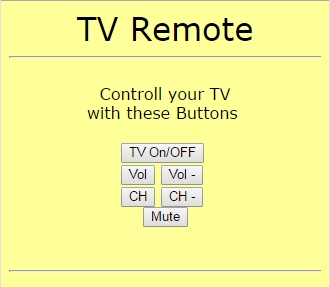
Yesterday, you built a receiver for infra-red remote controls. Today, you are building the remote control itself. More precisely, you will build a universal remote control that you can operate by computer or Smartphone and with which you can operate your TV or other devices whenever you misplace the original remote control. The IR-diode at Pin D3 For this project, you need the component behind today’s door: the IR diode. It looks like a simple LED, but it sends light in the invisible infra-red range. The IR-signals are visible to a digital camera, however. The structure of today’s experiment is shown in the figure. Don’t be surprised that the IR-LED is not given a dropping resistor. The effective dropping resistor is the On-resistor of the port, at approx. 30 Ohm. Because of this, the current through the diode is quite high, but the impulses sent are so short that the diode will not take damage. ...

18.12.2015 · 3 min · Fabian Kainka

Day 17: IR module

Today’s project permits controlling the controller by remote control. You can change the colour of the RGB-LED with buttons you can choose on an infra-red remote control, and change the background colour of the website right along with it. TheIR-Modul on Pins D7-D5 Behind today’s door, you will find the important part of today’s project, i.e. the infra-red receiver module. You can connect the module without a cable as shown in the figure below. The program sets the corresponding pins so that the module is supplied with power. ...

17.12.2015 · 2 min · Fabian Kainka

Day 16: GPIO Control

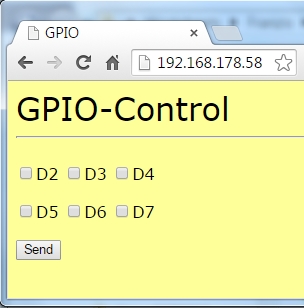
Today’s project permits simple control of the digital pins D2-D7 per website. The status of the respective pin is also presented on the website, so that you will never lose the overview. To review the condition of the pin well, a setup as in the following figure is recommended. Both the RGB-LED and the regular LED are used. The cathodes of the LEDs are now not connected to the long ground line on the outside of the board, but are also at a digital output. Only when these pins are switched low can the LEDs light up. ...

16.12.2015 · 2 min · Fabian Kainka

Day 15: Light sensor

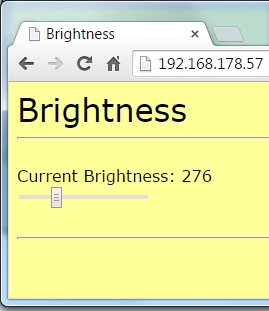
Today’s project does not use the web server’s website as a control interface, but as an output element. The brightness measured via a brightness sensor is displayed well-structuredly as a relative value. The fototranistor at Pin A0 Behind today’s door, there is another photo transistor that serves as a light sensor. The photo transistor looks like an LED, but should not be mistaken for one. The structure of today’s experiment is shown in the figure. The collector of the photo transistor is the shorter connection. It is applied to +5 V. ...

15.12.2015 · 2 min · Fabian Kainka

Day 14: Webserver for the RGB-LED

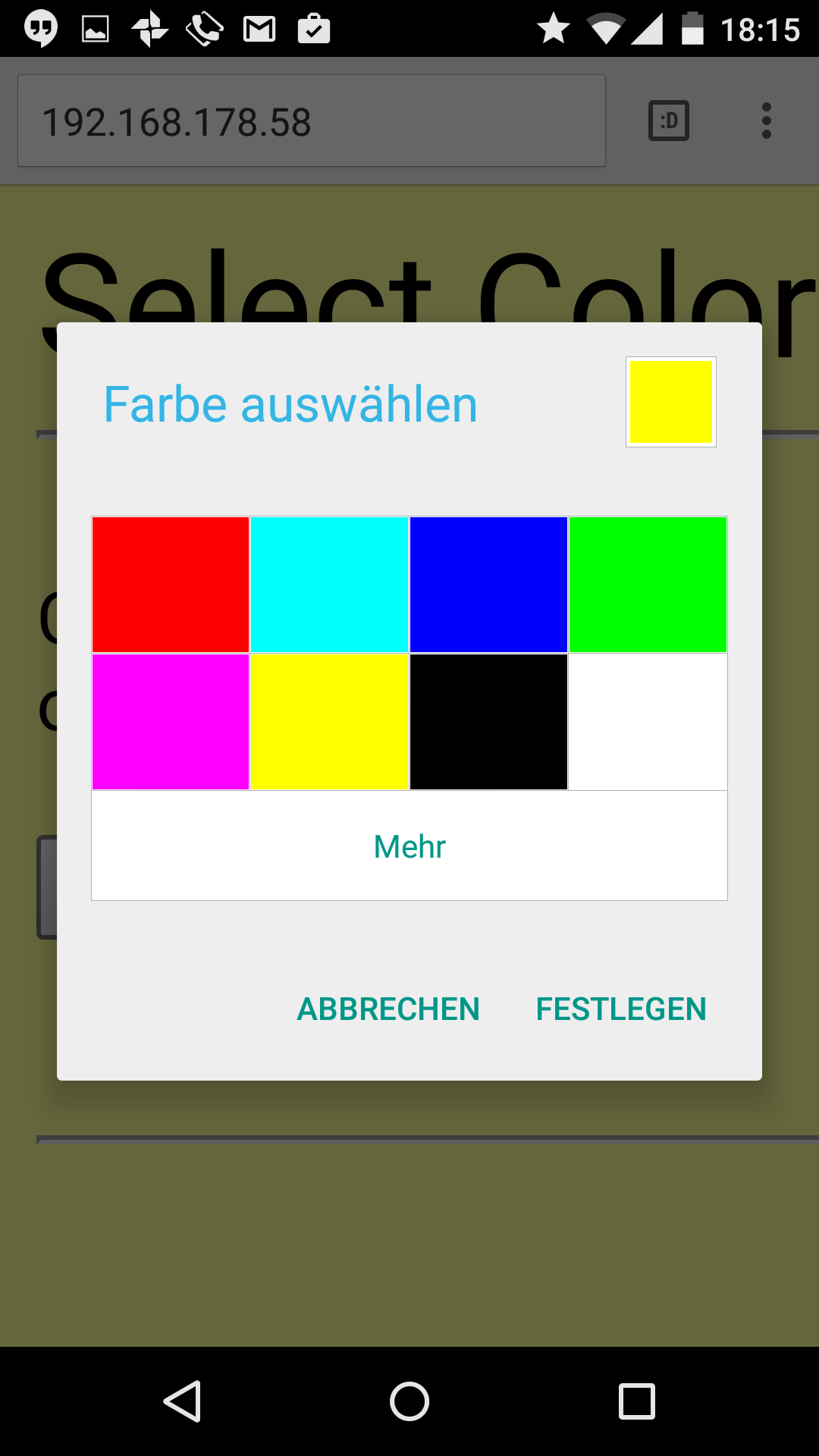
Today’s project is about controlling the RGB-LED by web server. A well-structured interface can be used to change the colour of the LED. The website has also been adjusted and should be easy to display even on Smartphones. The website on a PC browser Behind today’s advent calendar door, there is another resistor, but this one is of 10 kΩ (brown, black, orange). You will need it for tomorrow’s experiment. ...

14.12.2015 · 2 min · Fabian Kainka