Day 21: House automation

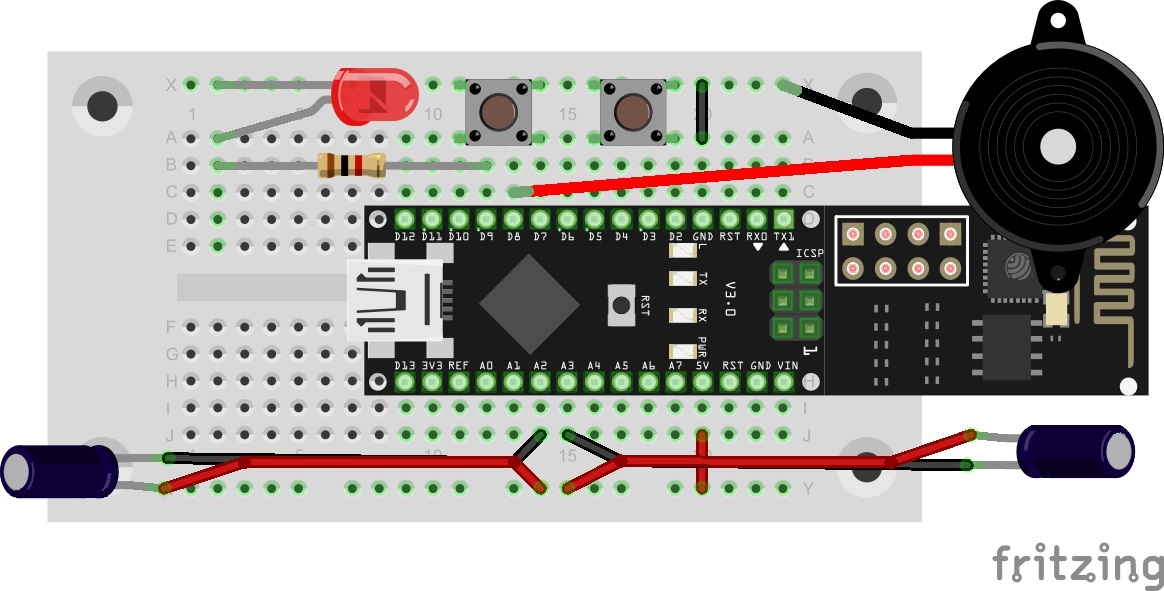
In today’s test, we’ll illuminate the characteristics and possibilities of MQTT in more detail by creating a practical scenario. In the example, there is a building with two rooms, each of which has a light switch, a light and an alarm sensor. The light switch switches the light of the respective room on or off. The alarm sensors activate a building-wide alarm. Normally, seven different devices would be used here, which are all connected to each other through an MQTT broker. But since we probably have only one NanoESP, this will simulate all devices. For this reason, today’s layout looks somewhat complicated. The LED D3 is used today as the second light. Therefore, today it won’t show you whether you’re connected to the WLAN. The tilt sensors are used on the extension cables as alarm sensors. A person could, for example, attach them to doors or windows so that they trigger an alarm if the entry opens. Behind today’s door is the second sensor. ...
21.12.2016 · 5 min · Fabian Kainka

Day 13: Alarm system with push messages

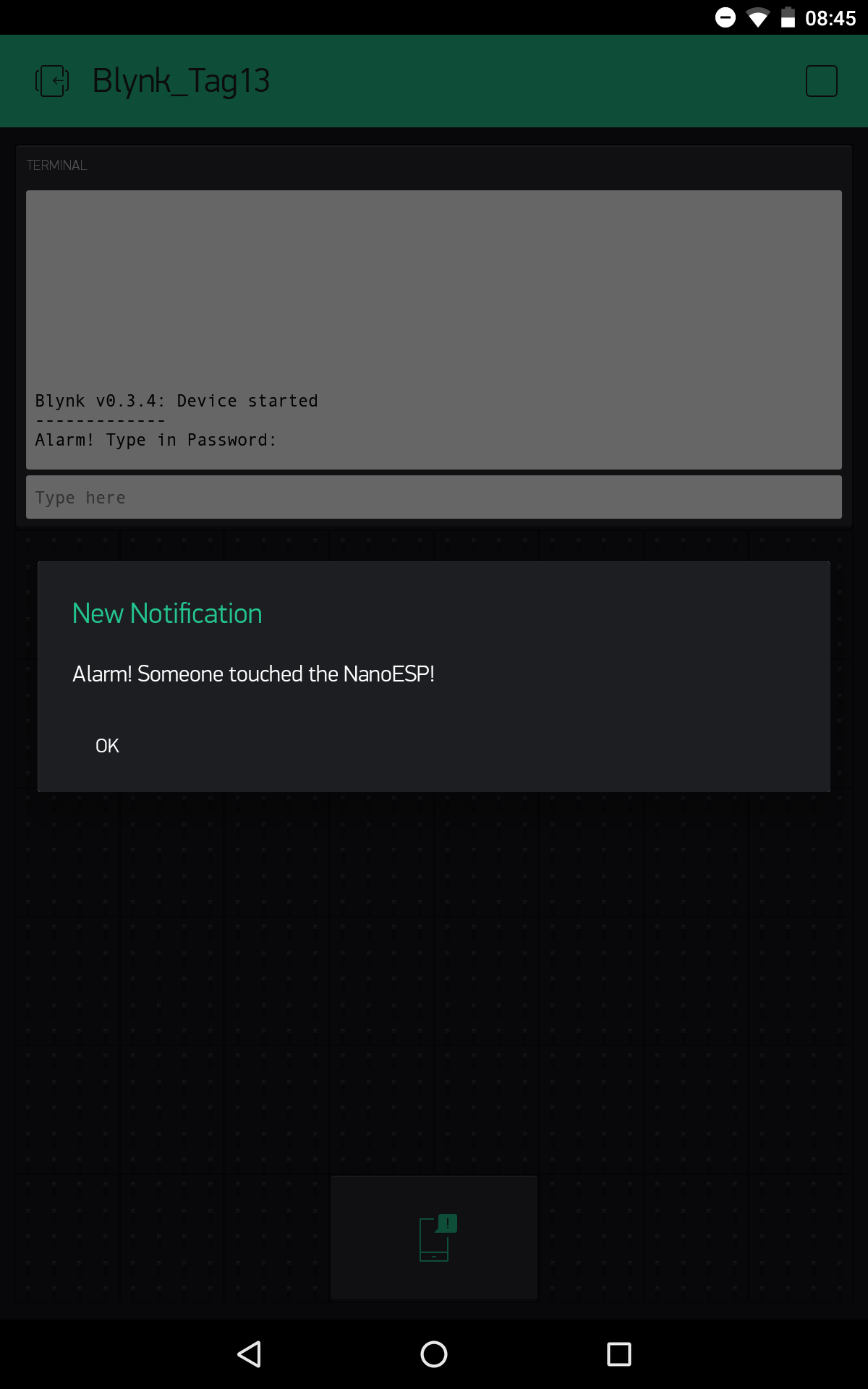
Today’s project deals with a simple silent alarm system with password input for resetting the alarm. So that you get anything at all from the alarm, the board sends a push message to your smartphone. We’ll set the tilt sensor that’s behind today’s door as a motion detector. It can give information about vibrations and thus inform you if someone tips the NanoESP board. Layout with tilt sensor The sketch: A16_P13_Blynk9_PushAlarm.ino /* Blnky9: PushAlarm Change ssid, password and token */ char ssid[] = "YourSSID"; char password[] = "YourPassword"; char token[] = "YourToken"; String passwordAlarm = "password"; String alarmMsg = "Alarm! Someone touched the NanoESP!"; #define BLYNK_DEBUG #define BLYNK_PRINT Serial // Comment this out to disable prints and save space #include <ESP8266_SoftSer.h> #include <BlynkSimpleShieldEsp8266_SoftSer.h> #include <SimpleTimer.h> // Set ESP8266 Serial object #include <SoftwareSerial.h> SoftwareSerial EspSerial(11, 12); // RX, TX ESP8266 wifi(EspSerial); SimpleTimer timer; WidgetTerminal terminal(V1); boolean alarm = false; void setup() { // Set console baud rate Serial.begin(19200); EspSerial.begin(19200); Blynk.begin(token, wifi, ssid, password); //push msg Blynk.notify("Alarm active"); pinMode(2, INPUT_PULLUP); //timer for blinking led on alarm timer.setInterval(1000L, blinkAlarm); } void loop() { Blynk.run(); if (alarm) timer.run(); else digitalWrite(13, LOW); //blink if alarm active if (digitalRead(2)) { //read tilt sensor if (!alarm) { alarm = true; Blynk.notify(alarmMsg); //push msg on alarm terminal.println(F("Alarm! Type in Password:")); terminal.flush(); } } } BLYNK_CONNECTED() { Blynk.syncAll(); terminal.println(F("Blynk v" BLYNK_VERSION ": Device started")); terminal.println("-------------"); terminal.flush(); } BLYNK_WRITE(V1) //Terminal { //type in password on alarm if (alarm) { String passInput = param.asStr(); if (passwordAlarm == passInput) { alarm = false; terminal.println(F("Alarm deaktivated")); terminal.flush(); } else { terminal.println(F("Wrong password!")); terminal.flush(); } } } //timer function for blinking led on alarm void blinkAlarm() { digitalWrite(13, !digitalRead(13)); } (The former Arduino Create embed is no longer available; the code is taken from the download of all sketches.) ...

13.12.2016 · 2 min · Fabian Kainka