Day 24: Fire alarm for the Christmas tree

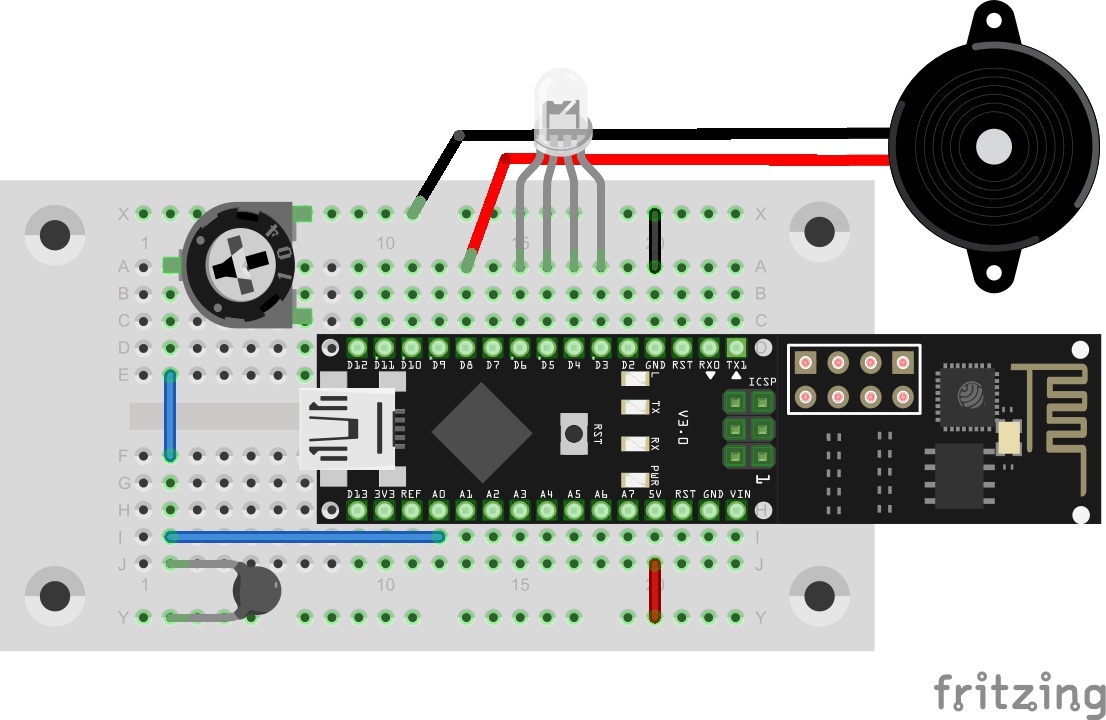
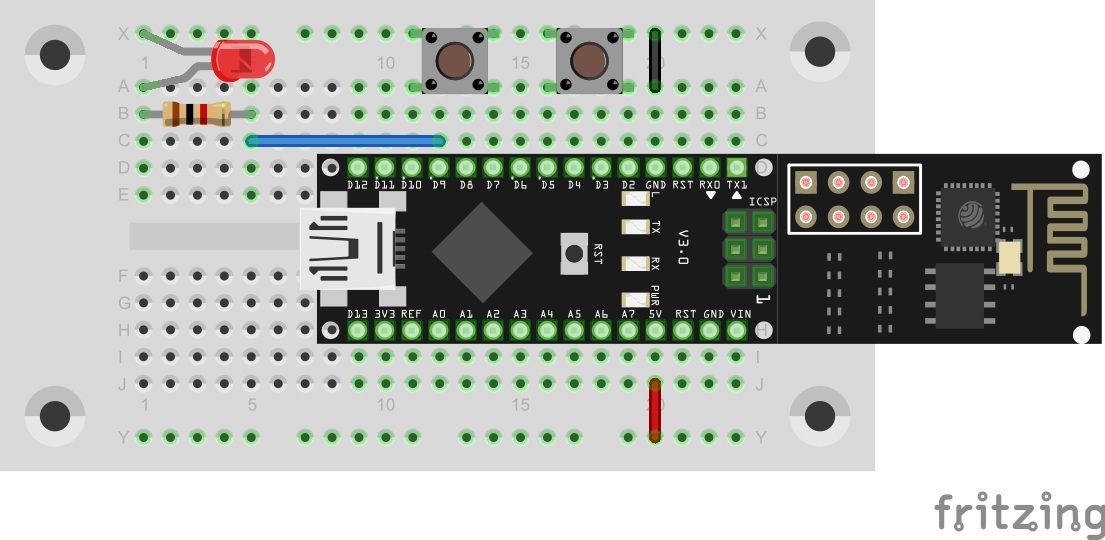
The final project consists of several elements you have been introduced to in the course of the advent time. One function is the Cheerlights function presented the day before. You can also receive the current colour of the Cheerlights project and display it with the RGB-LED. The board is also used for long-term monitoring of the temperature. At the same time, the board is used to emit an alarm sound when the temperature exceeds a specific value, e.g. because there is a fire. As a last function, the board can be used as a Christmas bell, by making it play the song Jingle Bells with a time-controlled TalkBack command. All in all, today’s project is an all-rounder for the Christmas tree. ...
24.12.2015 · 5 min · Fabian Kainka

Day 23: Cheerlights

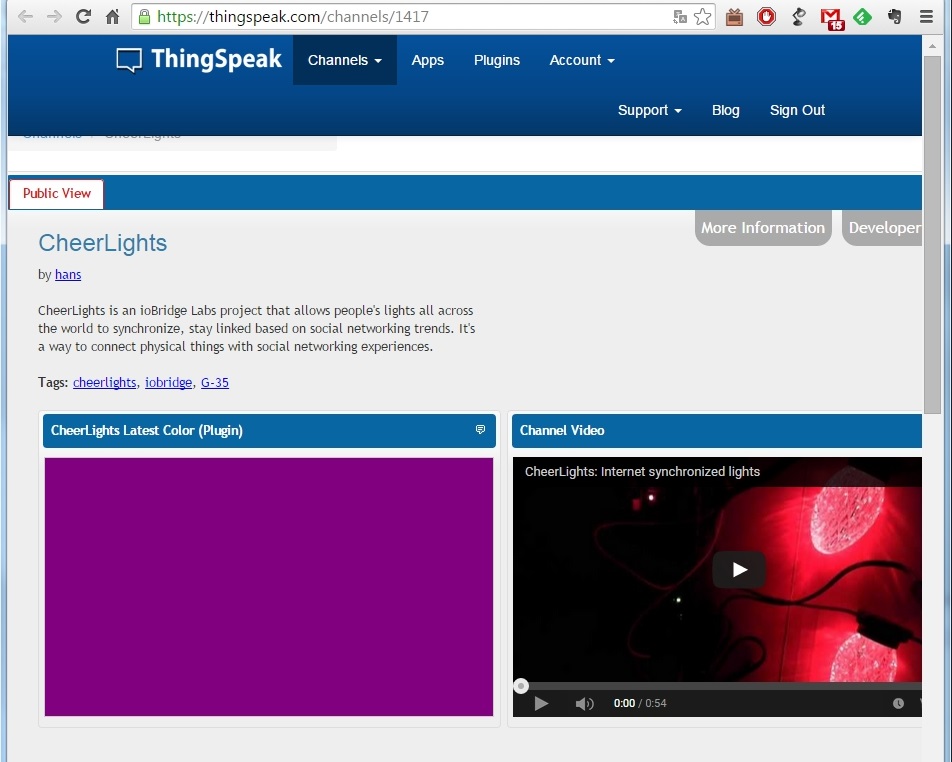
Today’s experiment is based on a project by Hans Scharler that is called Cheerlights. The idea is globally linked lights that can be simultaneously controlled via Twitter commands. It is a good example of the world growing closer and closer together with the Internet. The circuit is similar to previous projects Behind today’s door, you will find a fourth extension cable with which the RGB-LED can also be placed aside. This can be particularly practical if, for example, you want to hide the board in the Christmas tree while the RGB-LED decorates the top of the tree. ...

23.12.2015 · 2 min · Fabian Kainka

Day 22: TalkBack

Today’s project is about another app of the ThingSpeak page, i.e. the TalkBack-App. This function permits creating a command that is read and executed by the controller. What appears nonsensical with a single controller does make sense when using two or an entire network of controllers. Some boards can act as sensors then, e.g. with motion detectors, and send a TalkBack command. Another module reads the command from the ThingSpeak page and then opens the door or reports an alarm. ...

22.12.2015 · 2 min · Fabian Kainka

Day 21: Alarm system

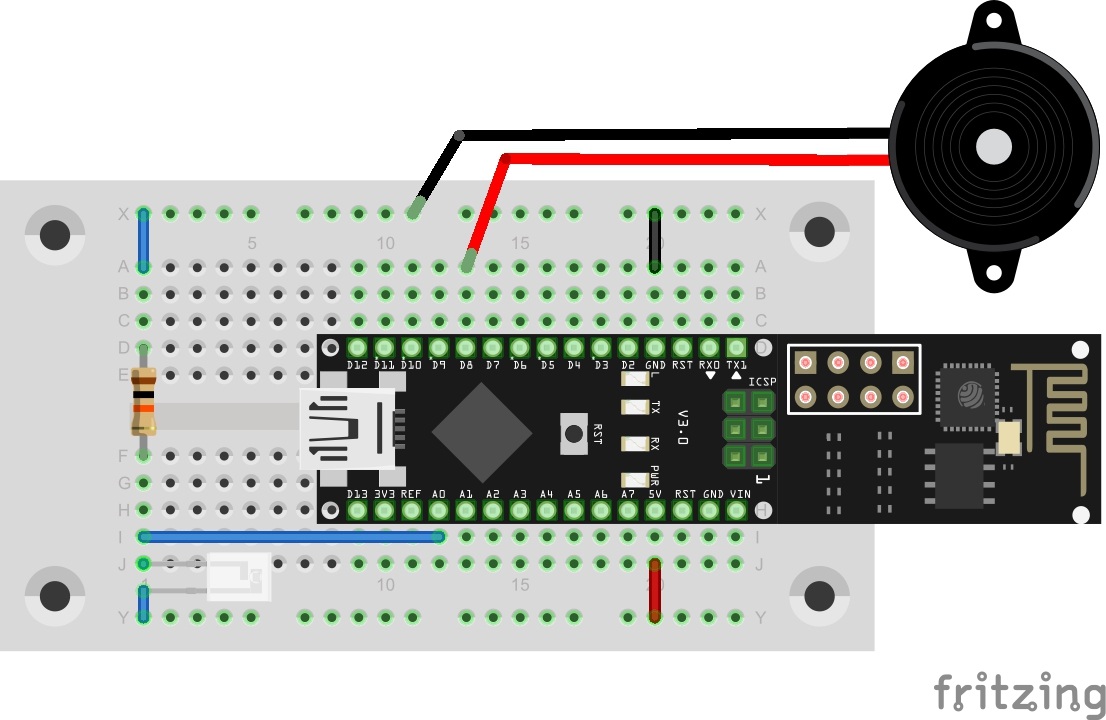
Today’s project is an alarm system with which you can, for example, check whether someone opens a drawer without permission. There is a continuous check for whether the connected light sensor is exposed to too much light. If this is the case, an alarm signal will sound and a message will be sent via Twitter. Lightsensor on A0 and Piezo on D8 Behind today’s door, there is a Piezo speaker that is used as alarm signal encoder. The structure of today’s experiment is shown in the figure. ...

21.12.2015 · 2 min · Fabian Kainka

Day 20: Twitch

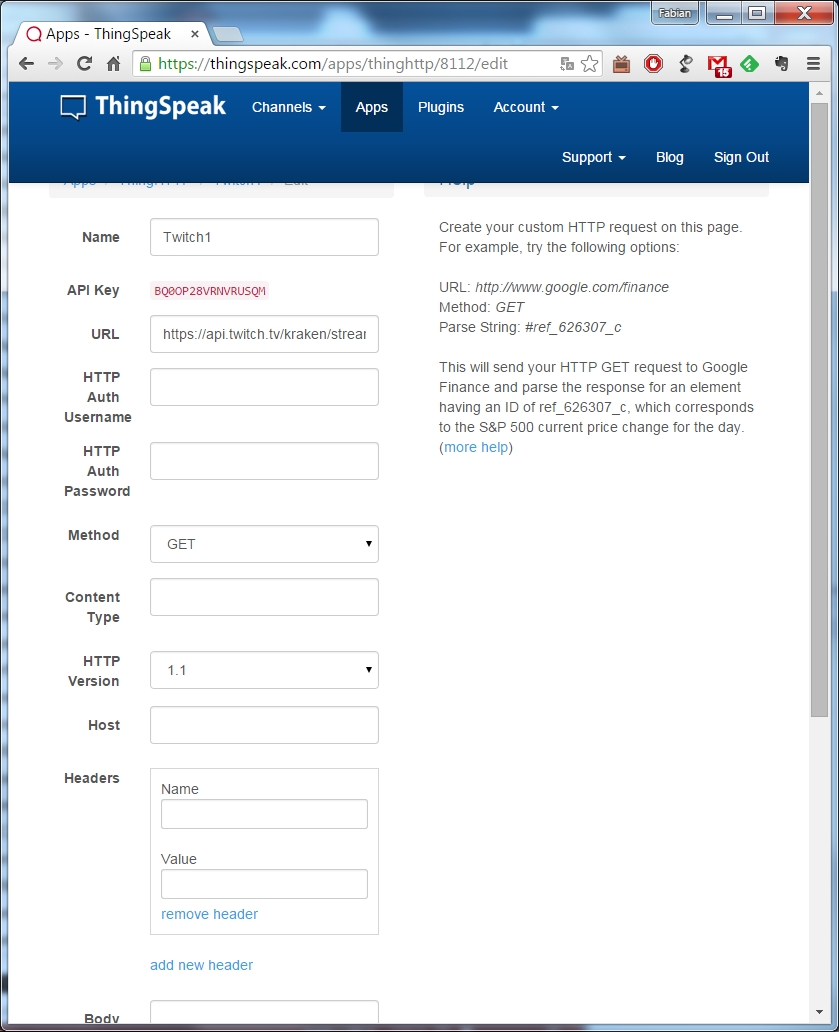
The website ThingSpeak offers a lot more than just long-time monitoring of sensors. Today’s project is similar to the projects from days 9 and 10 in its basic idea. Information is collected from a website on the internet. In this case, it is whether a specific stream is currently online or not. There are two decisive advantages of the ThingSpeak version over the first attempts. First, the ThingSpeak page can also call websites via HTTPS (HyperText Transfer Protocol Secure), while the module only supports the unsafe HTTP-protocol. Second, the website can pre-filter important information and thus clearly reduce the data volume to be processed by the controller. ...

20.12.2015 · 2 min · Fabian Kainka

Day 19: ThingSpeak

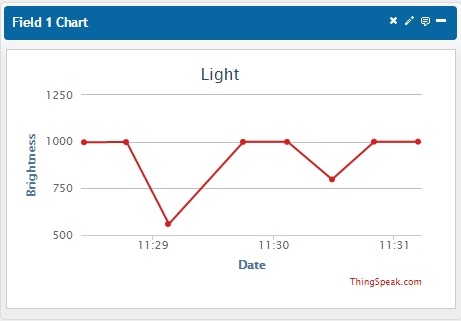
In the last days of the advent time, we will deal with an entirely new subject: the website ThingSpeak. This website has been specifically developed for the subject of Internet of Things and contains various practical functions for you. Before you tackle the setup and programme as usual, you need to set up an account on the website www.ThingSpeak.com Log in with your user data under the item Sign In. You can see a website that shows your channels. Since you have no channels yet, this site will look rather empty. Click New Channel and assign a name, e.g. Light. In this project, you will measure brightness. In the item Field1, you can now assign a name to the field, e.g. Brightness. All other fields can be left empty for now. ...

19.12.2015 · 2 min · Fabian Kainka