When you attach the board for the first time via the MicroUSB connector, your PC will try to install a driver. If this does not work automatically download and install the driver here.
The ArduinoTM IDE provides the simplest way of programming the development board. Download the IDE from www.Arduino.cc. When you start the software, you first have to choose the correct port and board. For the latter, you select the Arduino NanoTM (ATmega328 processor).

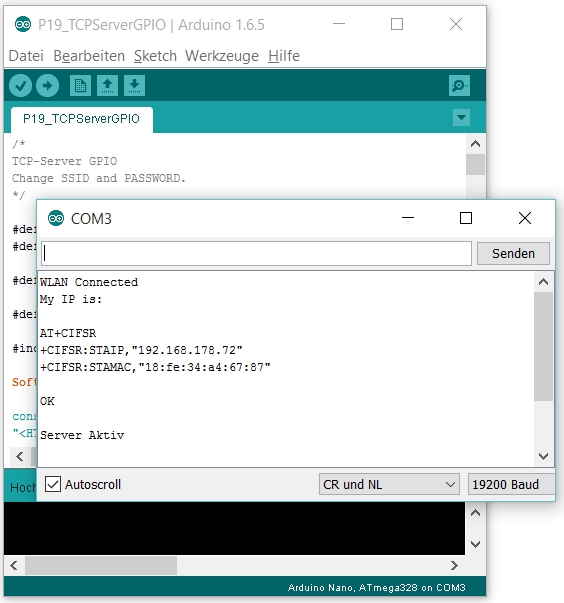
In order to test the WiFi module, you open the serial monitor and select a transfer rate of 19,200 baud. As long as no other program is loaded into the controller, the monitor should display a few messages. Furthermore, you will now find an open WLAN called NanoESP. To control the module yourself, use the Software Serial library via pins 11 and 12 with a transfer rate of 19,200 baudor just donwload the programm to your computer and upload it via the Arduino Software to your board:
Downlaod: Example Programm
The serial monitor has to be set to CR and NL. The following AT commands are useful for the first test:
Test command: AT
Reset: AT+RST
Firmware info: AT+GMR
22 comments
Comments are closed. These comments were posted on the former WordPress site (mostly in German).
Habe aber auf beiden Rechnern ohne Probleme einen Mega 2560 installiert.
Kann der Nano selbst ein Problem haben?
was kann ich tun? :D
MeinPretzelboard meldet im Monitor das Folgende. Nach Eintippen von AT-Befehlen erscheint aber nichts! Wer kann helfen? Danke! (Windows 10. Arduino 1.6.6 Driver Install success)
Baudrate OK
Config OK
Configuration successfull
Server OK
was du siehst sind die Ausgaben vom Initialisierungsprogramm. Wenn du AT-Befehle testen möchtest, dann Uploade zunächst das oben verlinkte Programm.
(bin jetzt von OSX auf Win NT gewechselt … und stecke jetzt auch hier)
also ich habe den NanoEsp erfolgreich in Betrieb genommen, es ging auch so weit alles gut, nur eine Falle gab es: Unbedingt die neueste Arduino Version verwenden ( ab V6.x ). Leider ist die Doku zu dem Board und zur NanoLib ziemlich mager, und man muss sich vieles im Web zusammensuchen. Der Code ist ebenfalls schwach dokumentiert, für einen Anfänger schwer zu durchschauen. Es fehlt auch ein Gesamtschaltplan des Boards ( Eagle ) mit Bestückungsplan. Etwas nachteilig finde ich die Länge des Boards für kleine Gehäuse, vielleicht kann man den ESP-Teil und den Nano-Teil trennbar machen, so daß eine Sandwich-Anordnung möglich wird : oben ESP unten Nano. Aber ansonsten sage ich well done zu den Kainas ! Gruß GDR
Habe möglicherweise einen Fehler gemacht:
Nachdem ich Schwierigkeiten hatte, das Pretzelboard mit meinem WiFi-Netzwerk zu verbinden, habe ich den ESP auf Factory Defaut zurückgesetzt (AT+RESTORE).
Seither erscheinen im Serial Monitor nur noch unleserliche Zeichern.
Lässt sich das "reparieren"?
Grüsse
Jürg
Hat sich erledigt. Baudrate war nach dem Factory Reset auf 115200. Seit Umstellen auf 19200 ist wieder alles i.O.
Grüsse
Jürg
Fehler war, ich habe mich an die Anleitung gehalten, und als Prozessor den ATMega328P ausgewählt. Zumindest in der IDE 1.8.8 will er aber (old Bootloader).
Vielleicht hilft es anderen, die auch sync Fehler haben (Baudrate nur halb so hoch)
I managed to brick Conrad NanoESP by sending AT+RESTORE…
Is there some way, how to restore its function?
The sending AT+UART_DEF=19200,8,1,0,0 or running of Reinitialisation.ino doesn’t work.. :-(
Thank You much for Your help in advance..!
I'm interested if there isn't some way, which wouldn't require flashing Your device. After all, after reset it should be in just the state after flashing, or not?
At any case, I did run Reinitialisation.ino multiple-times, including detaching from power - but without success. It's a bit strange situation for me: why NanoESP after AT+RESTORE isn't in the same state, like after fresh flashing of firmware?
It doesn't give too much meaning for me..
Anyway, thank You for Your kind support and for Your early reply!
Memo learned: Für Kinder unter 14 Jahren nicht geeignet!
There is more info regarding this situation
<https://iot.fkainka.de/forum/topic/kann-nichts-mehr-hochladen-und-das-board-reagiert-nicht-mehr>
It seems, AT+RESTORE is common trap for NanoESP beginners
There is even more info about unbricking NanoESP after AT+RESTORE
<http://iot.fkainka.de/configtest2> <https://iot.fkainka.de/wp-content/uploads/2015/12/ConfigTest2.zip>
I’ll continue with it tomorrow. "Pure software" approach failed, as it seems, ESP doesn’t communicate in any common speed with Nano after issuing AT+RESTORE command.
esp8266.end();
esp8266.begin(9600);
sendCom("AT+UART_DEF=19200,8,1,0,0", "OK");
esp8266.end();
esp8266.setTimeout(1000);
esp8266.begin(19200);
sendCom("AT+UART_DEF=19200,8,1,0,0", "OK");
esp8266.end();
esp8266.setTimeout(1000);
esp8266.begin(115200);
sendCom("AT+UART_DEF=19200,8,1,0,0", "OK");
esp8266.end();