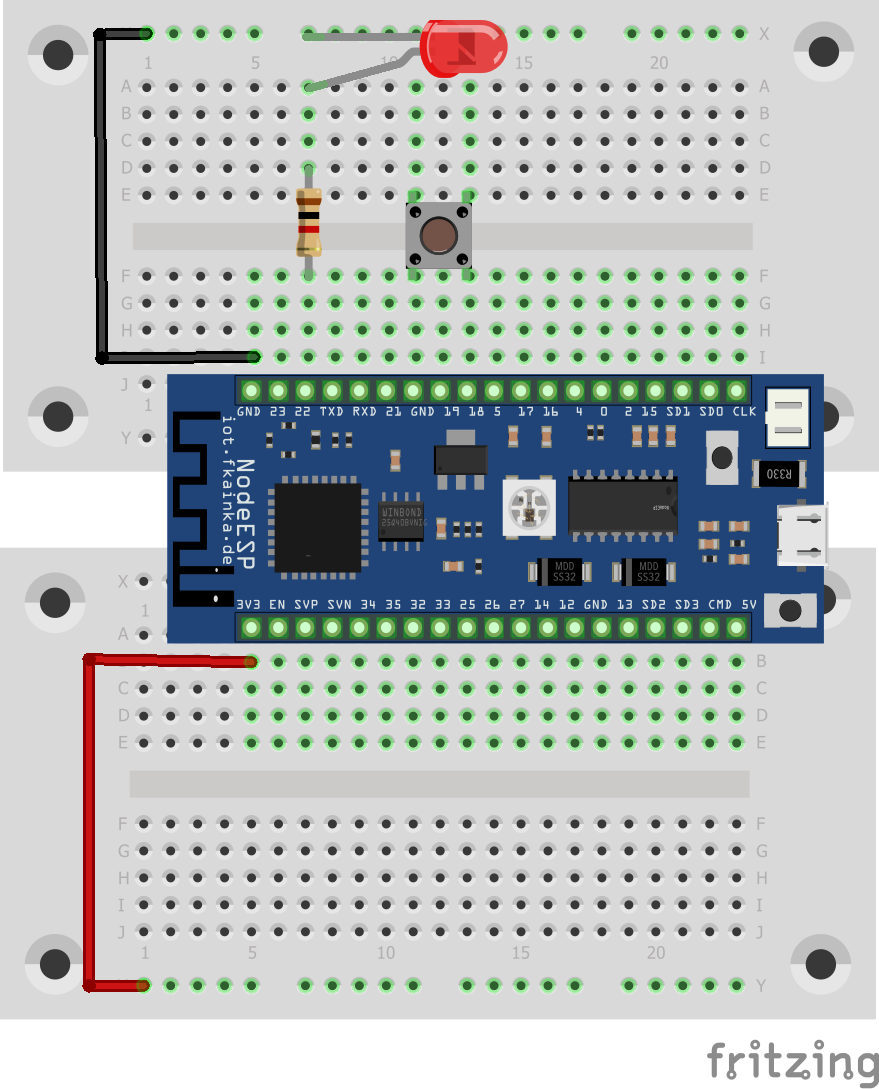
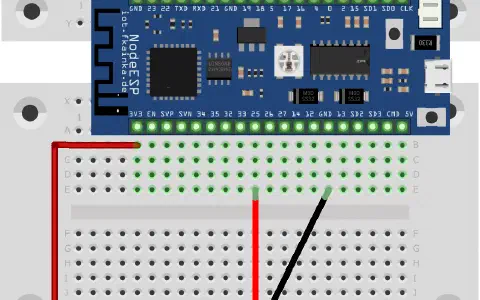
There is a red LED hidden behind the door today. We are going to use this to build a simple stairway light with web interface. We will thus build the following circuit and, of course, activate today’s program.

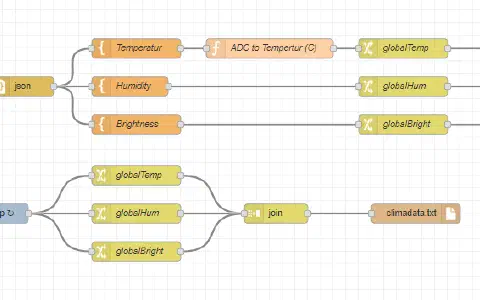
Locate the Node-RED flow below and import. Deactivate yesterday’s flow after the import to make sure the UDP receive nodes do not get in your way. This time the flow also has a send node besides the receiving node. You may need to adapt the send node to reflect your broadcast IP. A message that arrives at the UDP will be converted back to a JSON object by means of a JSON string, which is pure text. The difference here is that you can now access also individual attributes.
The following switch node is comparable to an IF query that checks, if the trigger command was sent. This command is triggered by pressing the button. A trigger node then starts to work. If the trigger node is activated, it sends the light_on command. This message is in JSON format and interpreted by the NodeESP board. The lights are turned on accordingly. Then, after four seconds, the trigger node sends the message: light_off. The board responds accordingly. The off message may be delayed by triggering the trigger node once more. The option to do that has been activated in the module. The trigger node can also be activated via the web UI and you can turn on the stairway light with your smartphone in line with the concept of a smart home.
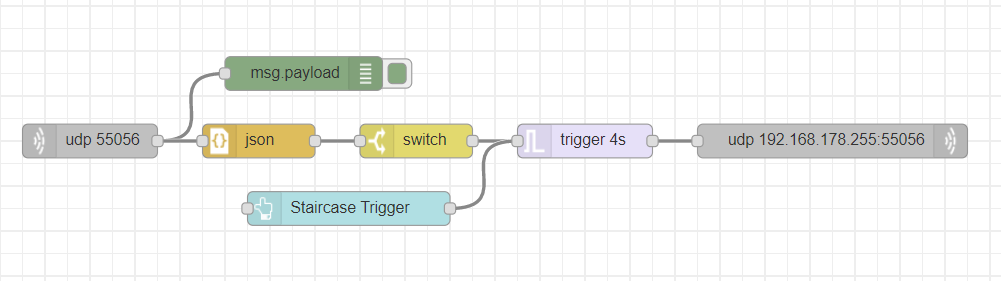
Note: In the Node-RED Windows version, the setting broadcast message (send a in node properties) for the UDP send-node did not work. But for the Node-RED version, I have tested on a Raspberry, only this setting worked for sending. This means that Raspberry users may need to adjust their UDP node for sending.
Hat funktioniert. Musste allerdings die Adresse 192.168.178.255 im UDP-Node zum Senden löschen.
:-)