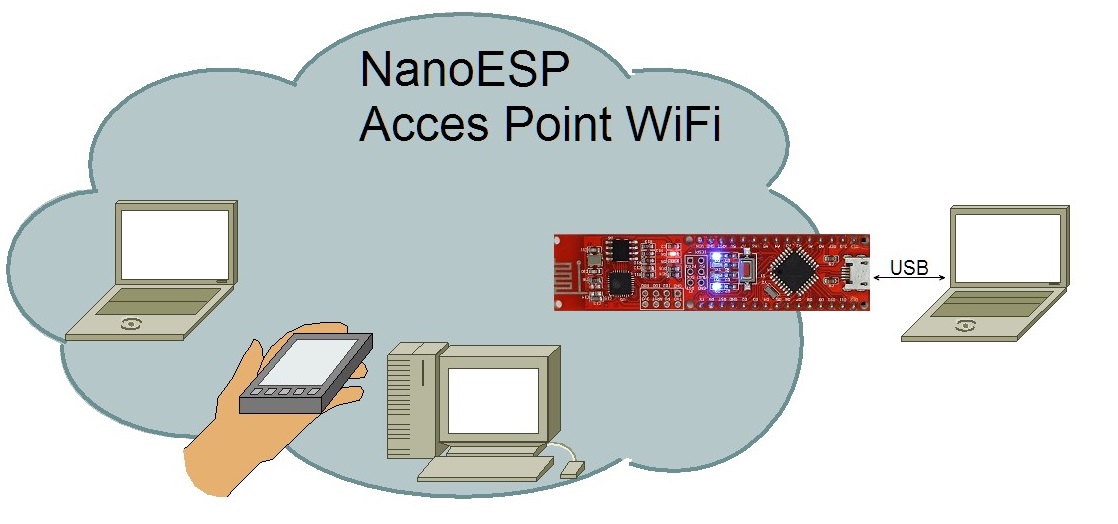
Behind the third door is the jumper wire, which is important for many tests. To prepare for later tests, you can place the supply lines GND and VCC on the outermost lanes. You’ll thereby have better access to these important lines later.
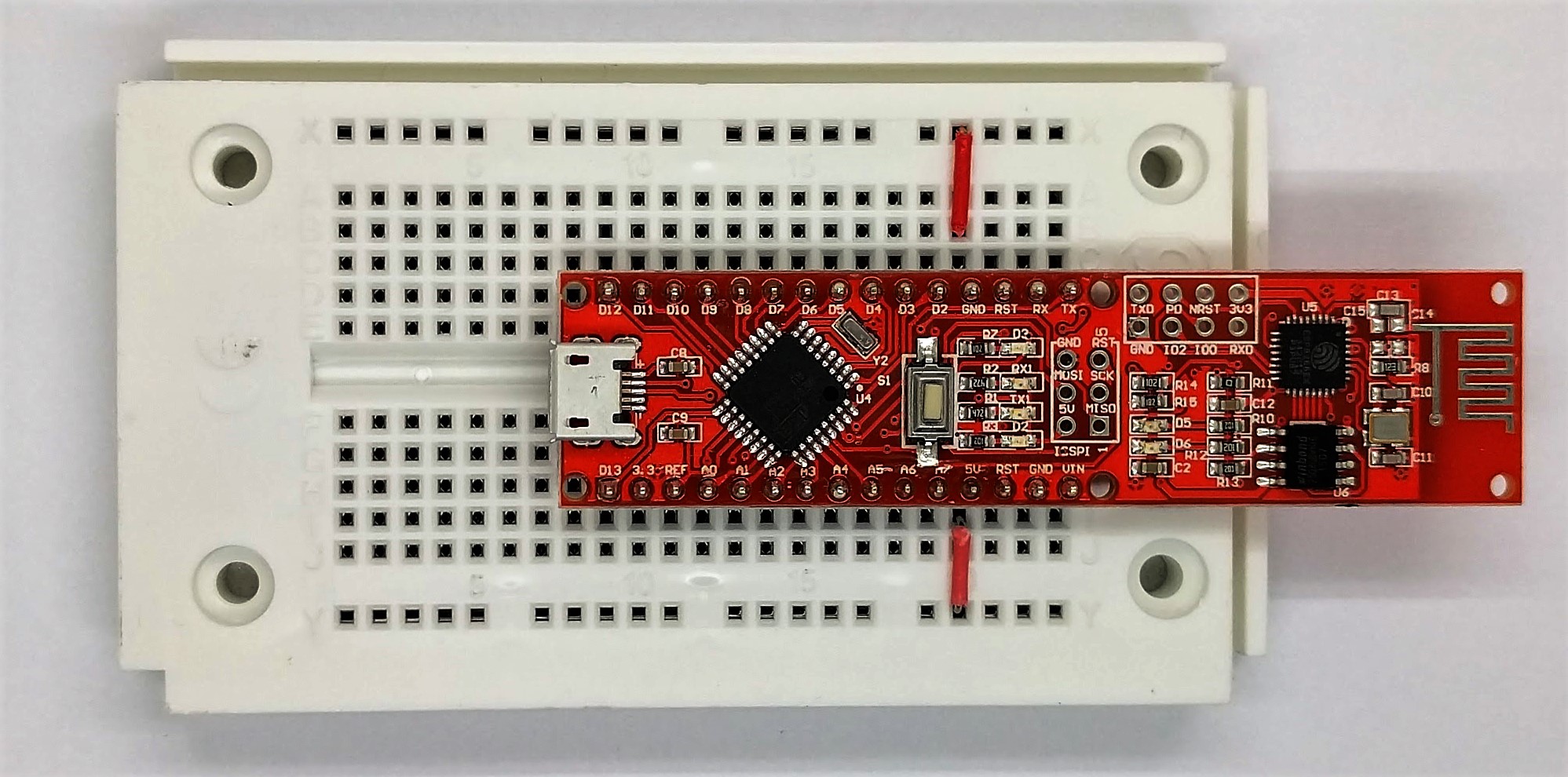
In the project for today, you now get around to changing something in a programme even on your own. The following sample programme serves as a basis:
File > Samples > NanoESP > Basics > AccessPoint
When you upload this programme, you won’t see any change at first. There is still an open WLAN with the name NanoESP in range. However, if you now change line 16 in the programme with the configWifi command, the access point settings also change. You can replace the “NanoESP” in quotation marks with another WLAN name, or you can even define a password for the network by adjusting the last parameter of the function. The password must have at least eight characters. A possible example is:
nanoesp.configWifi(ACCESSPOINT, “MyNanoESP”, “MyPassword”);
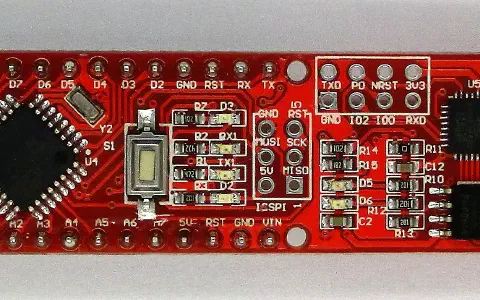
Then you need to upload the programme again. If the configuration was successful, the LED D3 lights up for confirmation. If there is an error, the LED does not light up and you need to check the settings. It’s never been easier to create your own WLAN.

47 comments
Comments are closed. These comments were posted on the former WordPress site (mostly in German).
jetzt komm ich nicht mehr auf die 192.168.4.1, wenngleich mein Rechner ordnungsgemäß damit verbunden wurde, er hat 192.168.4.2, aber die Webseite ist nicht erreichbar…
wasndalos?
Na ja, das gab mir zumindest die Gelegenheit, mich mit Serial.println() anzufreunden.
Hoffentlich ändert sich dies durch die anderen Tage.
Leider kann man nicht auf das "normale" Internet zugreifen und browsen.
hab das vergessen zu ändern
Arduino: 1.6.13 (Mac OS X), Board: "Arduino Nano, ATmega328"
avrdude: stk500_recv(): programmer is not responding
avrdude: stk500_getsync() attempt 4 of 10: not in sync: resp=0x00
Der Sketch verwendet 928 Bytes (3%) des Programmspeicherplatzes. Das Maximum sind 30.720 Bytes.
Globale Variablen verwenden 9 Bytes (0%) des dynamischen Speichers, 2.039 Bytes für lokale Variablen verbleiben. Das Maximum sind 2.048 Bytes.
Problem beim Hochladen auf das Board. Hilfestellung dazu unter http://www.arduino.cc/en/Guide/Troubleshooting#upload.
avrdude: stk500_recv(): programmer is not responding
avrdude: stk500_getsync() attempt 1 of 10: not in sync: resp=0x00
avrdude: stk500_recv(): programmer is not responding
avrdude: stk500_getsync() attempt 2 of 10: not in sync: resp=0x00
avrdude: stk500_recv(): programmer is not responding
avrdude: stk500_getsync() attempt 3 of 10: not in sync: resp=0x00
avrdude: stk500_recv(): programmer is not responding
avrdude: stk500_getsync() attempt 4 of 10: not in sync: resp=0x00
avrdude: stk500_recv(): programmer is not responding
avrdude: stk500_getsync() attempt 5 of 10: not in sync: resp=0x00
avrdude: stk500_recv(): programmer is not responding
avrdude: stk500_getsync() attempt 6 of 10: not in sync: resp=0x00
avrdude: stk500_recv(): programmer is not responding
avrdude: stk500_getsync() attempt 7 of 10: not in sync: resp=0x00
avrdude: stk500_recv(): programmer is not responding
avrdude: stk500_getsync() attempt 8 of 10: not in sync: resp=0x00
avrdude: stk500_recv(): programmer is not responding
avrdude: stk500_getsync() attempt 9 of 10: not in sync: resp=0x00
avrdude: stk500_recv(): programmer is not responding
avrdude: stk500_getsync() attempt 10 of 10: not in sync: resp=0x00
Problem beim Hochladen auf das Board. Hilfestellung dazu unter http://www.arduino.cc/en/Guide/Troubleshooting#upload.
Dieser Bericht wäre detaillierter, wenn die Option
"Ausführliche Ausgabe während der Kompilierung"
in Datei -> Voreinstellungen aktiviert wäre.
Wie du schon richtig erkannt hast wurde die Seite mit dem Easteregg bereits durch das hochladen des neuen Codes überschrieben.
Durch das einrichten dieses "Access Points" hast du dir ein Intranet (!) geschaffen. Das bedeutet: Wenn du dich mich anderen Geräten mit dem Access Point verbindest, so können diese Geräte nun über das Intranet miteinander kommunizieren, eben über das NanoESP Board.
Das NanoESP Board hat jedoch noch keine Verbindung zu einem Router bzw. einem "richtigen" WLAN Netzwerk. Somit kannst du mit dem bisherigen Code noch nicht ohne weiteres nach "außen kommunizieren".
Wenn du eine "echt" Internetverbindung herstellen möchtest, kannst du ja schon ein mal einen Blick in die Library werfen oder die sog. "AT-Commands" zu dem ESP8266 Wifi-Modul auf dem NanoESP nachschlagen, ich denke jedoch, dass dies in den nächsten Tagen noch auf uns zukommen wird.
Hoffe, dass hilft dir weiter.
in der Beschreibung steht: "Noch immer ist ein offenes WLAN mit dem Namen NanoESP in Reichweite."
Bei mir wird aber gar kein NanoESP WLAN angezeigt. Ich sehe nur mein normales WLAN.
Was mache ich falsch? :-/
Das das Passwort mindestens 8 Zeichen lang sein muss, ist mir klar, aber es funktioniert trotzdem nicht.
es muss halt nur mindestens 8 Zeichen lang sein
Ist das normal?
Ich habe dann das geänderte file unter einem anderen Namen abgespeichert. Zunächst "irgendwo" - dann gab es jede Menge Kompilierungsfehler weil die #include files nicht gefunden wurden.
Dann hab ich es neben den "example" ordner abgespeichert. Komisch, da wird dann nicht nur ein file gespeichert, sondern ein ganzer Ordner mit dem Namen (z.B: "MyAccessPiont") eingerichtet.
Wozu braucht es diesen Ordner??
Dann wollte ich - nach einer weiteren änderung nochmal abspeichern. Da gab es eine Fehlermeldung "Some files are read-only so you'll need to re-save the sketch to another location"
Will ich aber nicht !!! Was tun??
habe mal ein Wärmefoto mit flirone gemacht.
Demnach liegt die Temperatur bei über 70 Grad!
Die eigenen sketch files und ordner müssen ausserhalb des "libraries" ordner liegen.
Die #include files werden trotzdem gefunden.
Nun kann ich beruhigt einschlafen….
Meiner bleibt relative kalt, zumindest strahlt er keine spürbare Wärme ab, ich lass das Board allerdings auch (noch) nicht ewig laufen.
ist bestimmt fasch und soll bestimmt
nanoesp.configWifi(ACCESSPOINT, "MyNanoESP“, "MyPassword“);
richtig?
Moin,
die heutige WLAN-Aufgabe ging relativ gut.
Aber mit der "Hardware" habe ich meine Probleme.
Aufgabe: "…können Sie die Versorgungsleitungen GND und VCC auf die äußeren Bahnen legen."
Was zur Hölle? Sorry, bin Noob. Aber was ist GND und was ist VCC? Hätte ich das wissen sollen?
Und wie muss hier verkabelt werden? Nach Bild kann ich nur interpretieren:
Wäre das richtig?
nein ich glaube nicht, dass du das voher hättest wissen sollen. Ich denke was Fabian Kainka hier macht ist, dich nicht in Watte packen. er hätte auch andere Bezeichnungen benutzen können die im ersten moment leichter zu verstehen sind. Irgendwann trifft man als Elektronikbastler aber immer mal auf verwirrende Bezeichnungen und muss lernen was sie bedeutet. Oft muss man sich selbst zu helfen wissen …
Hier hilft mal wieder die gute alte Wikipedia:
https://de.wikipedia.org/wiki/Spannungsbezeichnung
Bei google "Was bedeutet Vcc" eingeben bringt einen da relativ zügig hin.
Natürlich hätte Fabian den Text aus der Wiki in die Anleitung kopieren können, wenn er der Meinung ist, dass du an Tag 3 lernen sollst was VCC und GND bedeuten, aber ich glaube er wollte dich sanft in die wunderbare Welt der Elektronik-Tüftler einführen … und da heisst es:
Versteh ich nicht? Egal, ich kanns rausfinden! Packen wir's an :-D
Ich wünsche dir noch viel Spass mit deinem Kalender …
if (nanoesp.configWifi(ACCESSPOINT, "NanoESP", "")) digitalWrite(13, HIGH);
einfach
nanoesp.configWifi(ACCESSPOINT, "Stephan", "Weber")) digitalWrite(13, HIGH);
aber statt des neuen Namens "Stephan" sehe ich immer noch das Netzwerk "NanoESP".
b) PW mindestens 8 Zeichen
Da man auf dem Nano aber nur jeweils ein PIN für GND und einen für VCC hat, verbindet man die PINs mit den äußeren Bahnen des Steckbrett. So kann man mehrere Komponenten gleichzeitig mit Spannugn und Masse versorgen
Es ist möglich, dass Du die IDE in einem Ordner installiert hast, der schreibgeschützt ist.
Gehe mal in der IDE auf Sketch > Zeige Sketch Ordner.
Versuche dann mal in diesem Ordner irgendeine Datei anzulegen (z.B. Word, EXCEL oder sonst was)
Wenn das nicht funktioniert ist der ORdner wahrscheinlich schreibgeschütztz