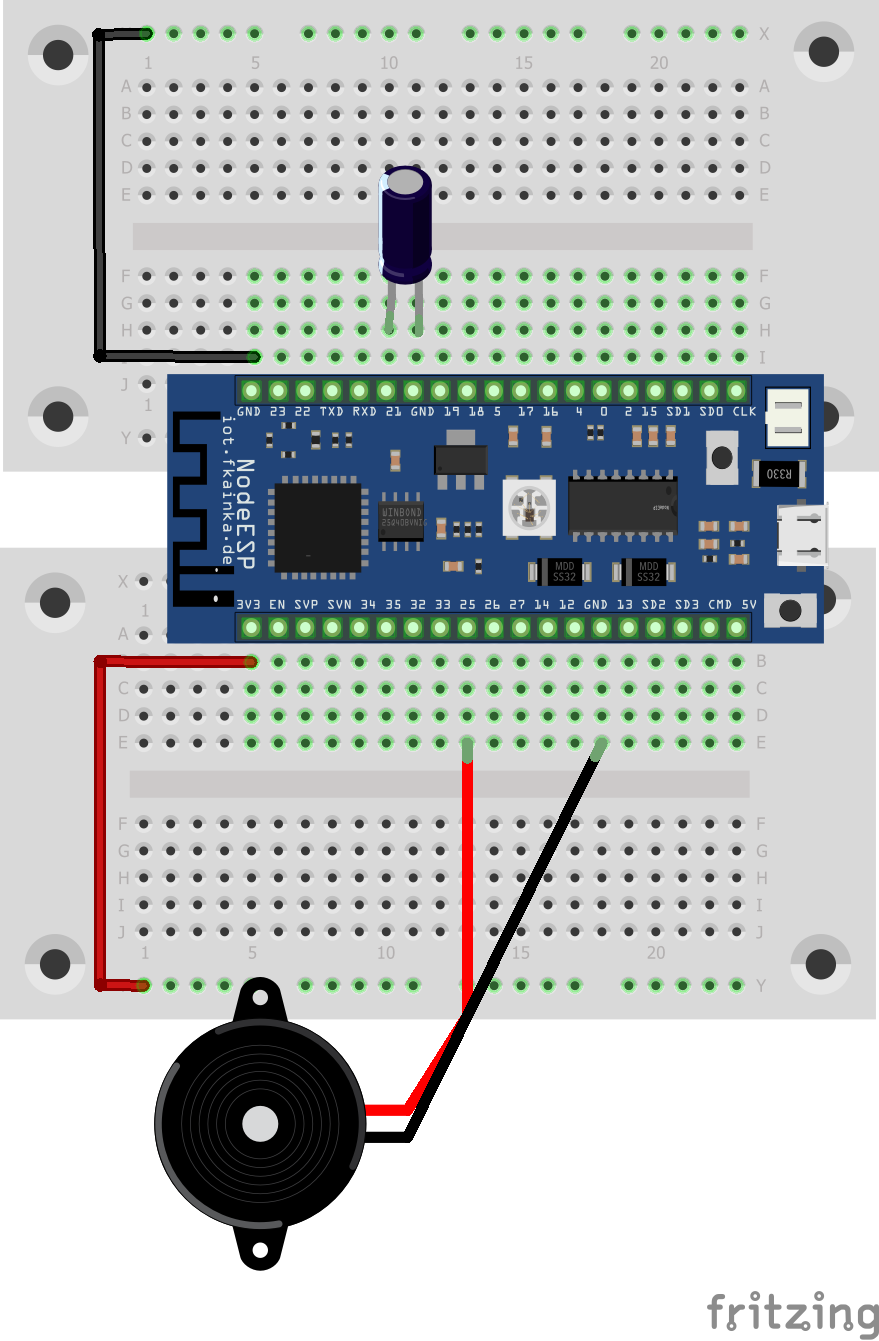
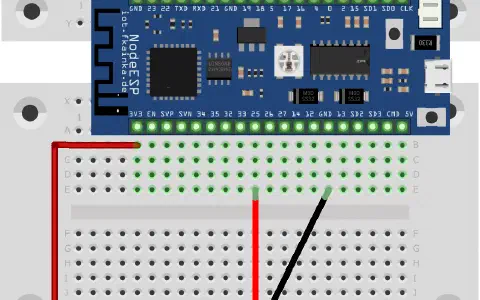
The day before last reveals a tilt sensor behind the door of the Advent calendar. The sensor detects, if it is tilted. We will use it today as a sensor for an alarm system. The speaker from two days ago serves us as the signal generator. We will need the following setup.

As usual, activate the program of today and install the Node-RED flow into the environment. Also adjust the MQTT topic and disable all previous flows.
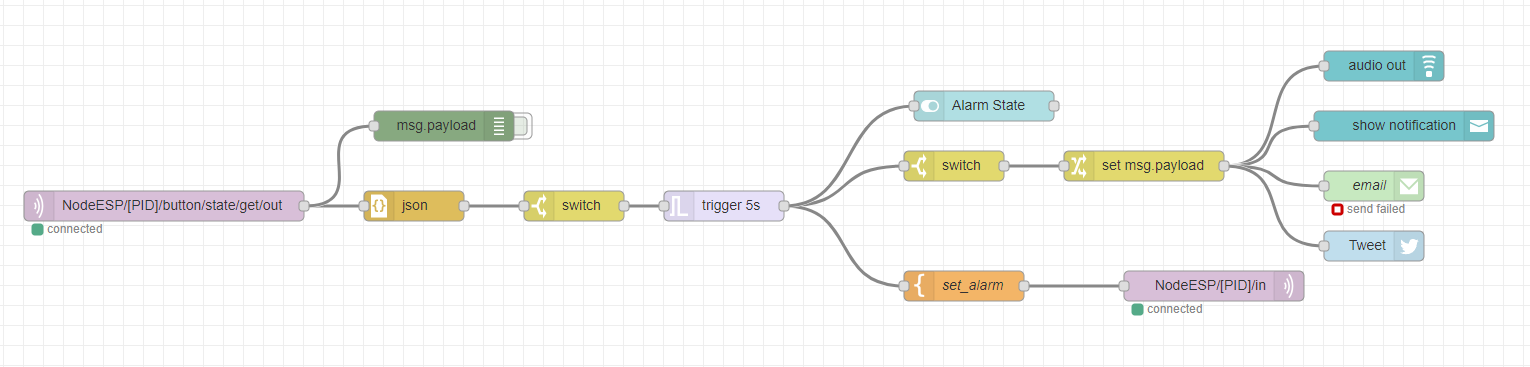
The flow now waits for the tilt sensor to be triggered and for a message published under the appropriate topic. This will trigger a trigger node, which will set the payload to TRUE. This is sent back to the board via a topic, which then triggers the alarm. After five seconds the trigger node will send a FALSE that will disable the alarm.
In sync with the alarm signal via the board, a number of other nodes located at the top on the right will indicate the alarm. We have got here today the audio-out node to alert us. Then there is a text message popping up on the user interface. Beyond the user interface, you can use email or Twitter to receive information about an alarm. Another option is to install other nodes that will send push messages to your smartphone. Pushbullet is one of these services with a handy app, for example. Your smart home is thus protected against burglary and theft.
Es gibt anscheinend eine neue Firmware (Button "Check for Firmware Updates" im Webinterface). @fk: Was wurde geändert? Gibt es ein Changelog? Muss der NodeESP danach komplett neu eingerichtet werden oder werden nur die Programme ersetzt und die Config bleibt erhalten?