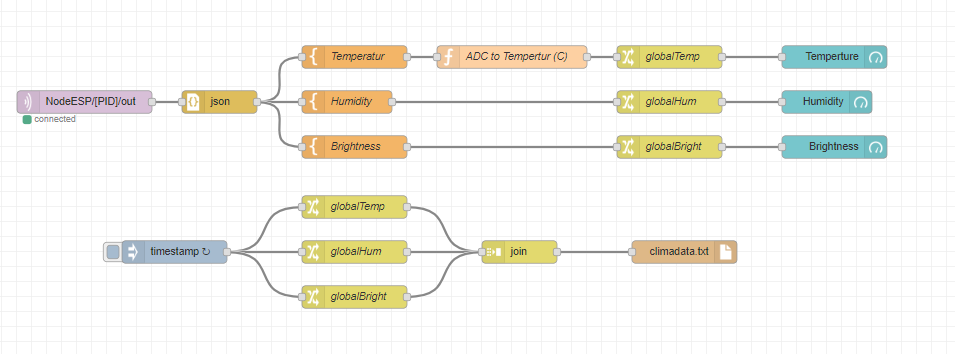
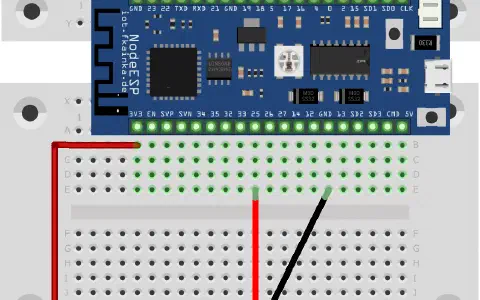
The door of day 21 reveals again a sensor, which we will use to measure the humidity level present. With the following circuit we will build a comprehensive indoor climate monitor.
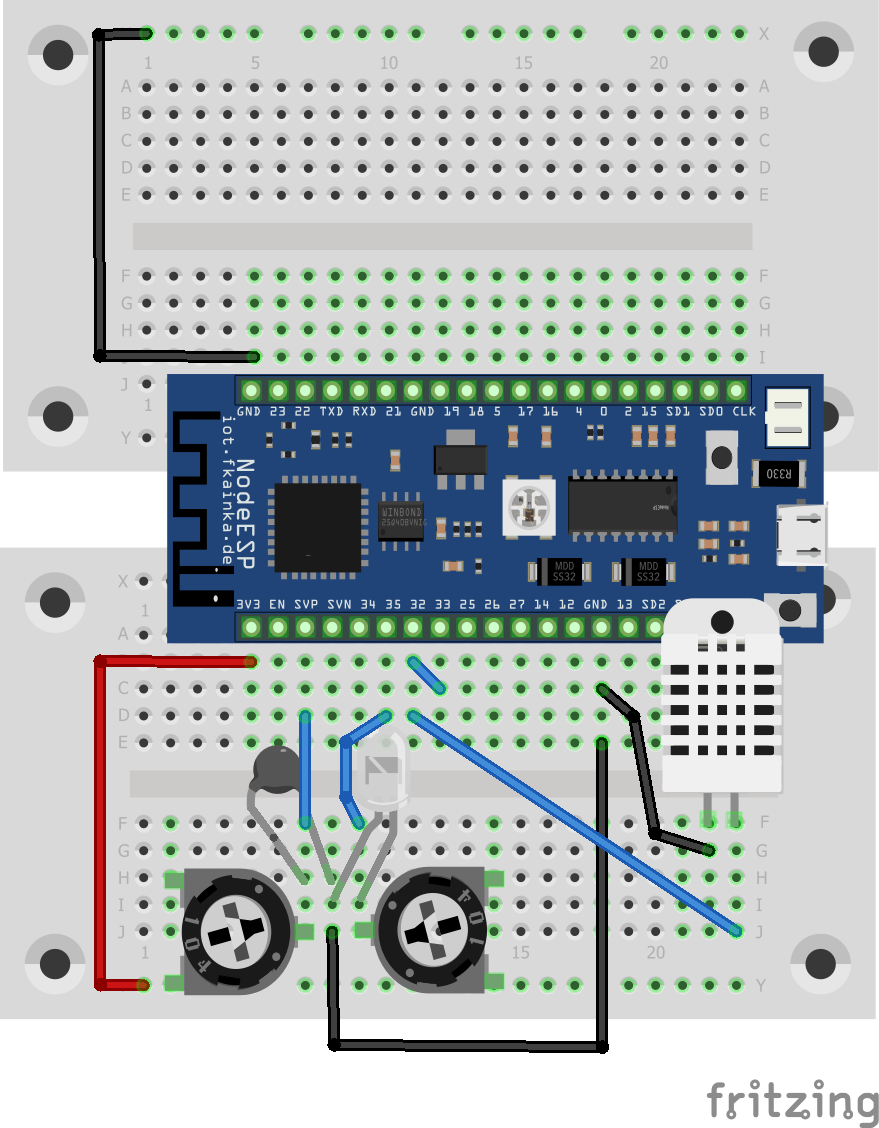
Our experiment today uses three sensors: the temperature sensor (NTC), the light sensor (photo transistor) and the humidity sensor. Altogether they deliver a real good impression of the current climate situation in a room. Let’s start the program of today.
The program measures all of the values e very 30 seconds and sends them via MQTT, and you will receive something like this:
{“cmd”:“get_hum_state”,“Light”:3903,“Temp”:368,“HUMIDITY”:45}
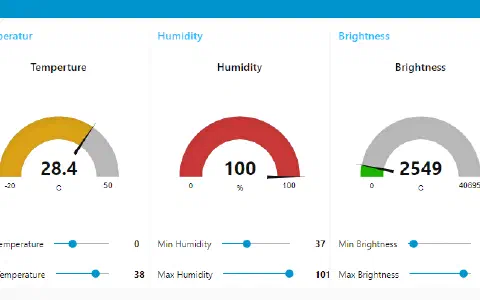
Copy the flow of today into your Node-RED environment, but remember that you need to adjust your personal topic and disable previous flows. Then on the GUI page you can view the measured values. A function node will also today convert the temperature values accordingly so that you are able to read them. The two potentiometers are used to achieve a more precise calibration, because today you can adjust temperature and ambient brightness values.

But we also have an additional feature. Every five minutes, the program saves the currently measured values into a file. This is called climadata.txt and you will find it usually in the directory where Node-RED runs. In my case, this was:
C:\Users[USERNAME]
[USERNAME] is your Windows user name. But you could also customize the file path in the node. Data is stored in CSV (comma separated values) format, whereby all values are separated by a comma. It is thus very easy to import the data into Excel and evaluate the spreadsheet. The evaluation of the longterm measurement is very easy.
Bei mir kommen immer komische Werte raus, könnte es sein das die Umrechnung zwischen Kelvin und Celsius nicht ganz richtig läuft?
Müsste es nicht
Temp = Temp-273.15;
heissen?
Celsius = Kelvin - 273.15 ?
Grüße
Moritz