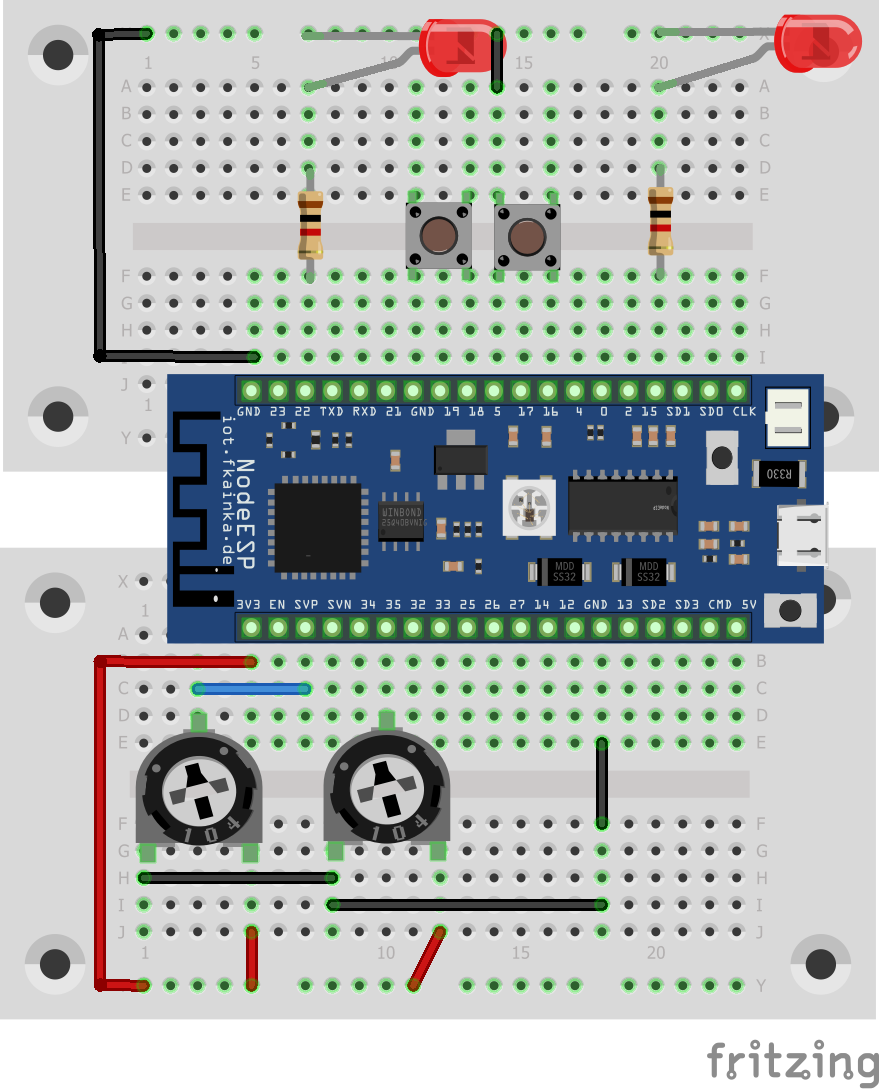
The door of day 17 reveals another potentiometer. Now we have one potentiometer for each LED and thus we will develop the program of Day 13, the Smart Lights, so that we will get a more convenient and intuitive dimming feature. We will also learn today how we can start timed events with Node-RED.

Activate today’s program in the web interface. As always disable previous flows and change the MQTT topic to reflect your personal ID and then install today’s flow into the Node-RED environment.
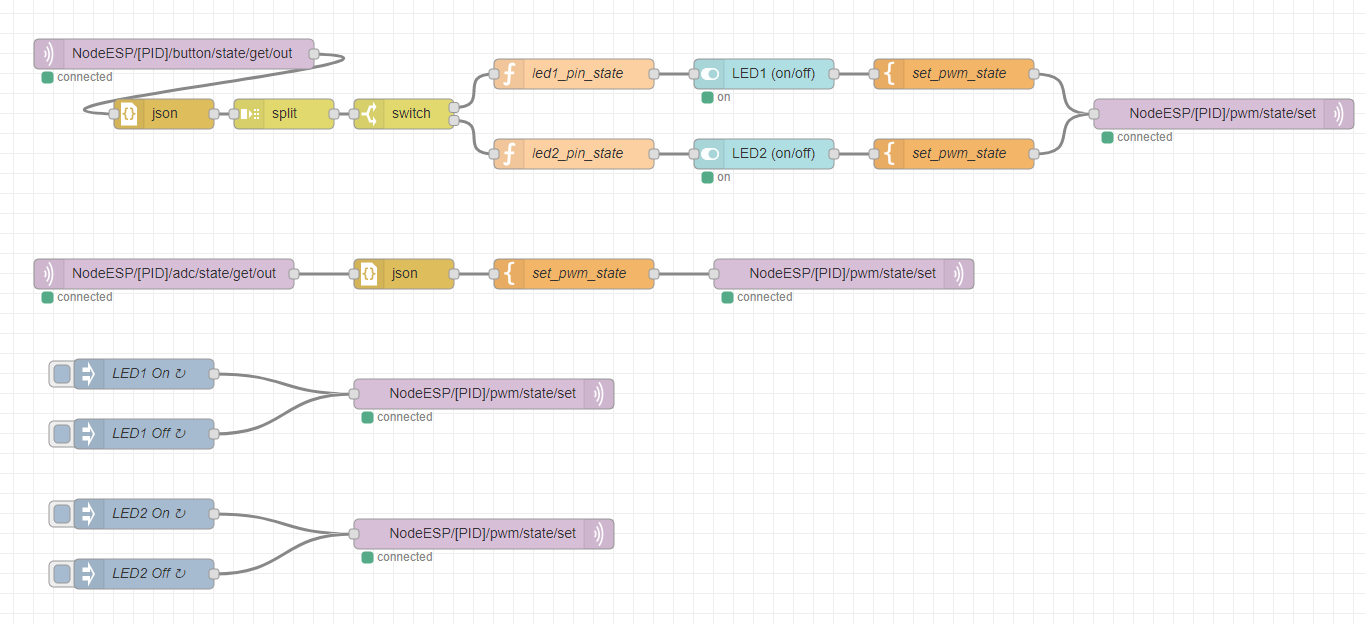
As you know already, you can turn the LEDs on and off via the hardware buttons or via the user interface. The brightness of the individual LEDs is controlled by the potentiometers. As an alternative to the buttons, you have got the injection nodes in the corner bottom left. You can use them to specify the times a command is sent to the board. All you have to do is double-click on the corresponding node and select the time and also the days when the message should be sent. You can use it for example, to set an automatic lamp in a living room or an aquarium or activate special lighting on working days – fully automatically and much like the smart home concept.
auch das funktionierte auf anhieb. Danke.