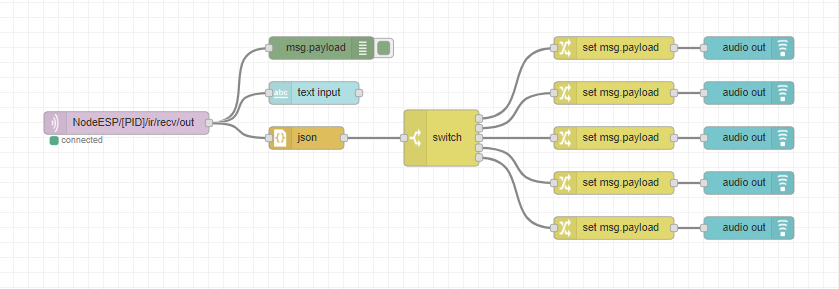
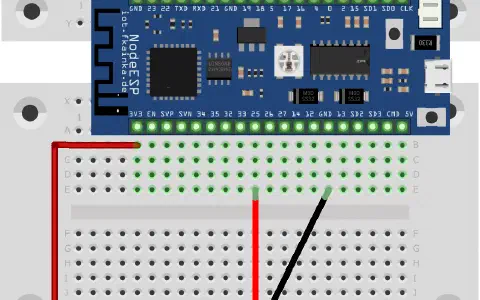
The door reveals a very special component today, namely an infrared receiver module. You can use it to 15. Tag receive customary infrared remote-control signals. We will use the following setup.
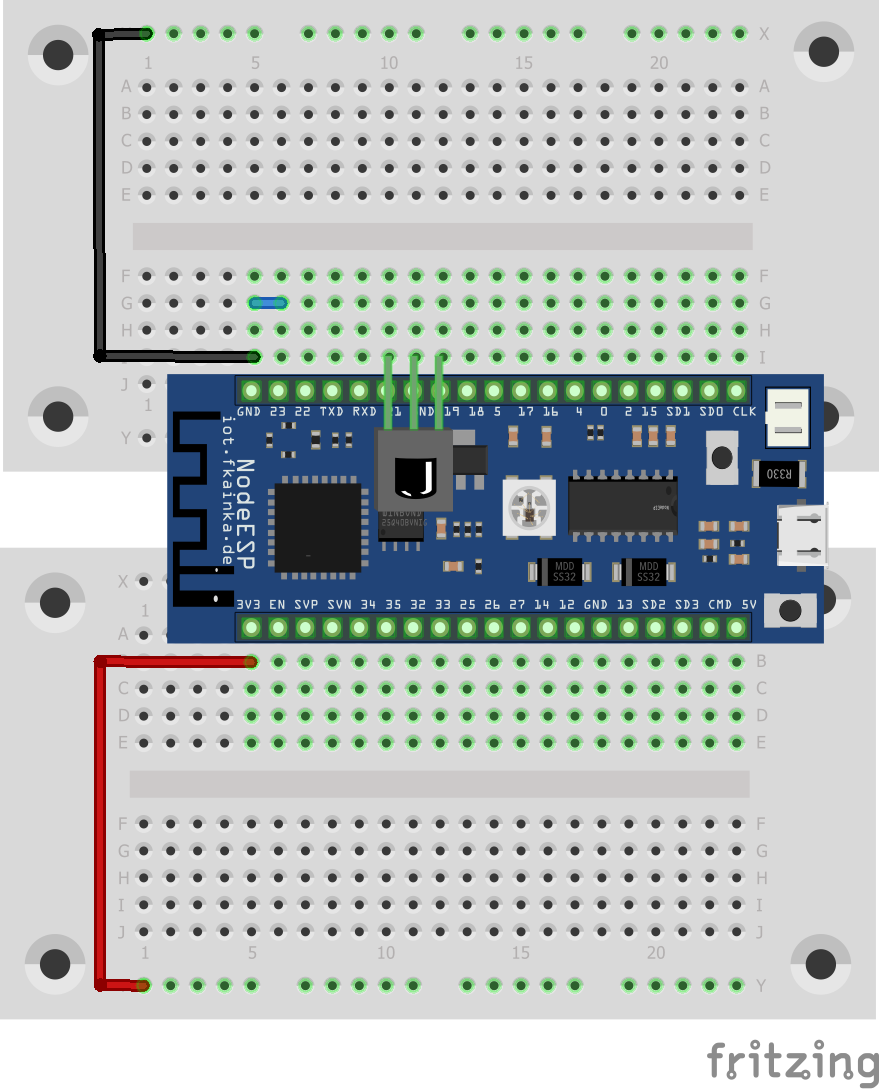
After the circuit is set up, select today’s program. Please note that you will not be able to reach the board’s website, because it is deactivated for our experiment today. The board works now in headless mode and has no visible interface. If you want to run the website again to activate other programs, for example, you only have to pull out the jumper from pin 23 and restart the board. Everything will run as usual.
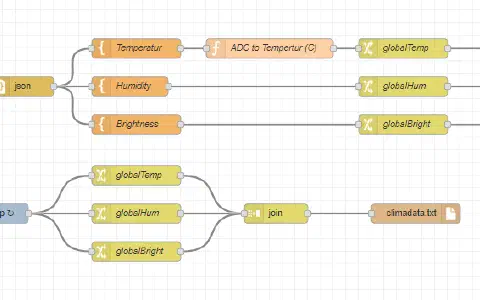
Implement first today’s flow into your Node-RED environment and see, if today’s program is working properly. Do not forget to disable the previous flows and adjust the MQTT topic to your personal topic.
As soon as you have activated the flow, you can point a remote control at the receiver. On the GUI page you will then see text sent by the board such as:
{“cmd”:“ir_recv”,“type”:3,“value”:551489775,“length”:32}
Important here is the value. For example, select the power button on your remote and copy the value received. Enter the value into the switch node. At present you can enter five different values into the switch node, meaning five different remote-control buttons. Each of these keys then leads to a node that sets a text as a payload and forwards it to an audio-out node. The first value in the switch node would be the power button. Therefore, “Power” is read by the browser. We are using this here only for the purpose of demonstration. As for smart homes, you could easily dim the living room lighting when the TV is switched on. Node-RED makes customization very easy.

super funktioniert.