Behind today’s door is an NTC sensor (negative temperature coefficient thermistor). Its conductivity changes depending on the temperature. You’ll use the sensor today to undertake a long-term measurement of the temperature. As a small bonus, you can select a time at which you get a summary by email.
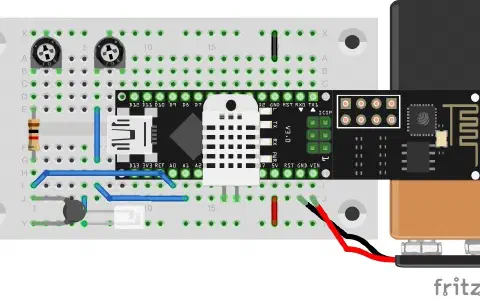
For today’s layout, in addition to the NTC, you’ll also need the potentiometer and a 1-kohm resistor. You can make a fine adjustment of the temperature with the potentiometer.
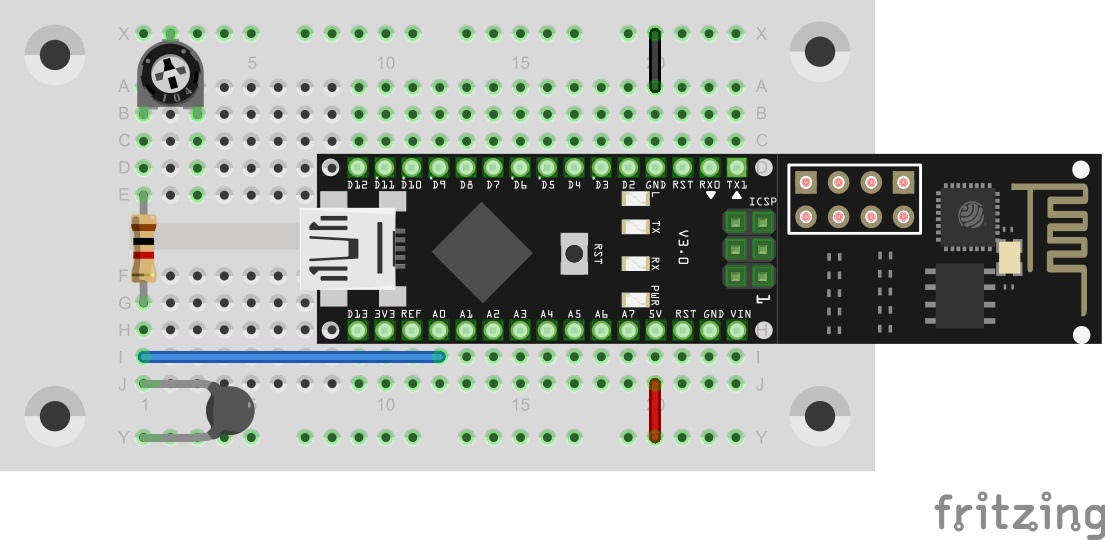
The sketch: A16_P14_Blynk10_NTCSensor.ino
/*
  Blnky10: NTC-Sensor
  Change ssid, password, token and email
*/

char ssid[] = "YourSSID";
char password[] = "YourPassword";
char token[] = "YourToken";

char email[] = "YourEmail";
char subject[] = "Temperatur Summary";

#define BLYNK_DEBUG
#define BLYNK_PRINT Serial    // Comment this out to disable prints and save space
#include <ESP8266_SoftSer.h>
#include <BlynkSimpleShieldEsp8266_SoftSer.h>
#include <SimpleTimer.h>

#include <TimeLib.h>

// Set ESP8266 Serial object
#include <SoftwareSerial.h>
SoftwareSerial EspSerial(11, 12); // RX, TX

ESP8266 wifi(EspSerial);
SimpleTimer timer;

//init max min value (0 makes no sense)
double tempMax = - 273;
double tempMin = +200;
bool autoSend;

void setup()
{
  // Set console baud rate
  Serial.begin(19200);
  EspSerial.begin(19200);

  Blynk.begin(token, wifi, ssid, password);
  //timer for temp measure
  timer.setInterval(500L, getTemp);
}

void loop()
{
  Blynk.run();
  timer.run(); //Call timer (other than normal timers)
}


BLYNK_CONNECTED() {
  Blynk.syncVirtual(V5); //sync email auto send state
}

void getTemp() { //get temp, convert to C and send
  double currValue = Thermistor(analogRead(A0)) ; //Convert to C !!! Pot: round((x*10)/10)

  if (currValue < tempMin) {
    tempMin = currValue;
  }
  if (currValue > tempMax) {
    tempMax = currValue;
  }

  Blynk.virtualWrite(V0, currValue);
  Blynk.virtualWrite(V1, currValue);
  Blynk.virtualWrite(V3, tempMin);
  Blynk.virtualWrite(V2, tempMax);
}

double Thermistor(int RawADC) {
  //Source: http://playground.arduino.cc/ComponentLib/Thermistor2
  double Temp;
  Temp = log(10000.0 * ((1024.0 / RawADC - 1)));
  //         =log(10000.0/(1024.0/RawADC-1)) // for pull-up configuration
  Temp = 1 / (0.001129148 + (0.000234125 + (0.0000000876741 * Temp * Temp )) * Temp );
  Temp = Temp - 273.15;            // Convert Kelvin to Celcius
  // Temp = (Temp * 9.0)/ 4.7 + 32.0; // Convert Celcius to Fahrenheit
  return Temp;
}


void sendSummary() { //send email summary
  String msg = "Tempertur Summary:\nCurrent Temperatur: " + String(Thermistor(analogRead(A0))) + " C\n\nMax. Temp: " + String(tempMax) + "C \n\nMin. Temp: " + String(tempMin) + "C \n";
  Blynk.email(email, subject, msg);
}

BLYNK_WRITE(V6) { //Timer Send
  if (autoSend) {
    sendSummary();
  }
}

BLYNK_WRITE(V4) { //Button Send
  sendSummary();
}

BLYNK_WRITE(V5) { //config email send
  autoSend = param.asInt();
}
(The former Arduino Create embed is no longer available; the code is taken from the download of all sketches.)
You can load the interface in your Blynk app with the QR code. In the programme you download from the website, besides the current token and your WLAN data, today you have to enter an email address again to which the summary should be sent.
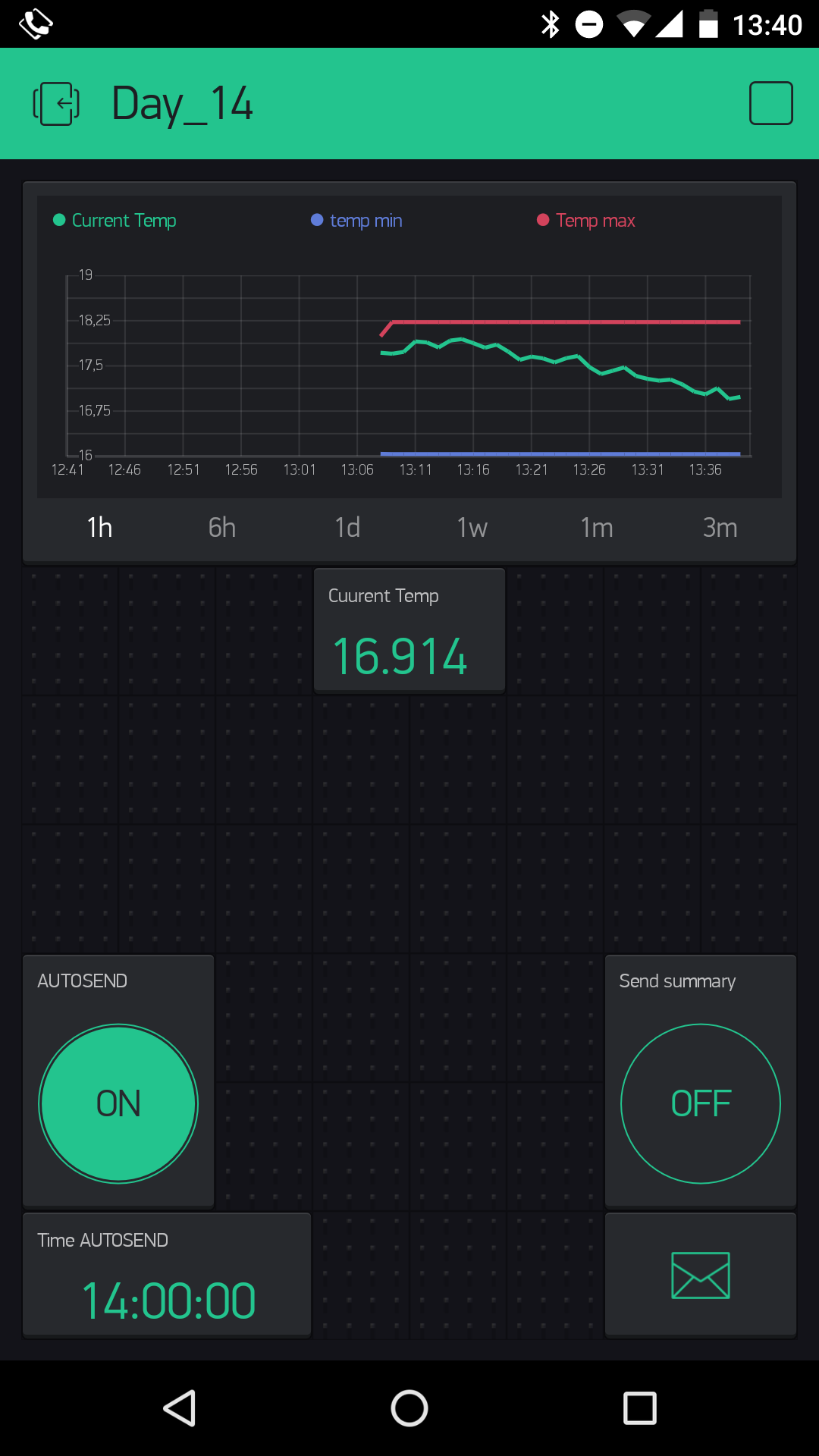
The Blynk interface contains the history graph as the central element. It shows the current temperature as well as maximum and minimum values. In the line below, you can select the time frame of the data to be visualised. You can delete the stored data by swiping on the widget toward the left while the interface is active. You’ll also find the current temperature in the display under the graph. With the elements at the bottom left, you can make adjustments for the automatic sending of a summary. However, with the button on the right side, you can also have a summary sent at any time.

String msg = "Current Temperatur: " + String(Thermistor(analogRead(A0))) + " C Max. Temp: " + String(tempMax) + " C Min. Temp: " + String(tempMin) + " C ";dann steht alles in einer Zeile