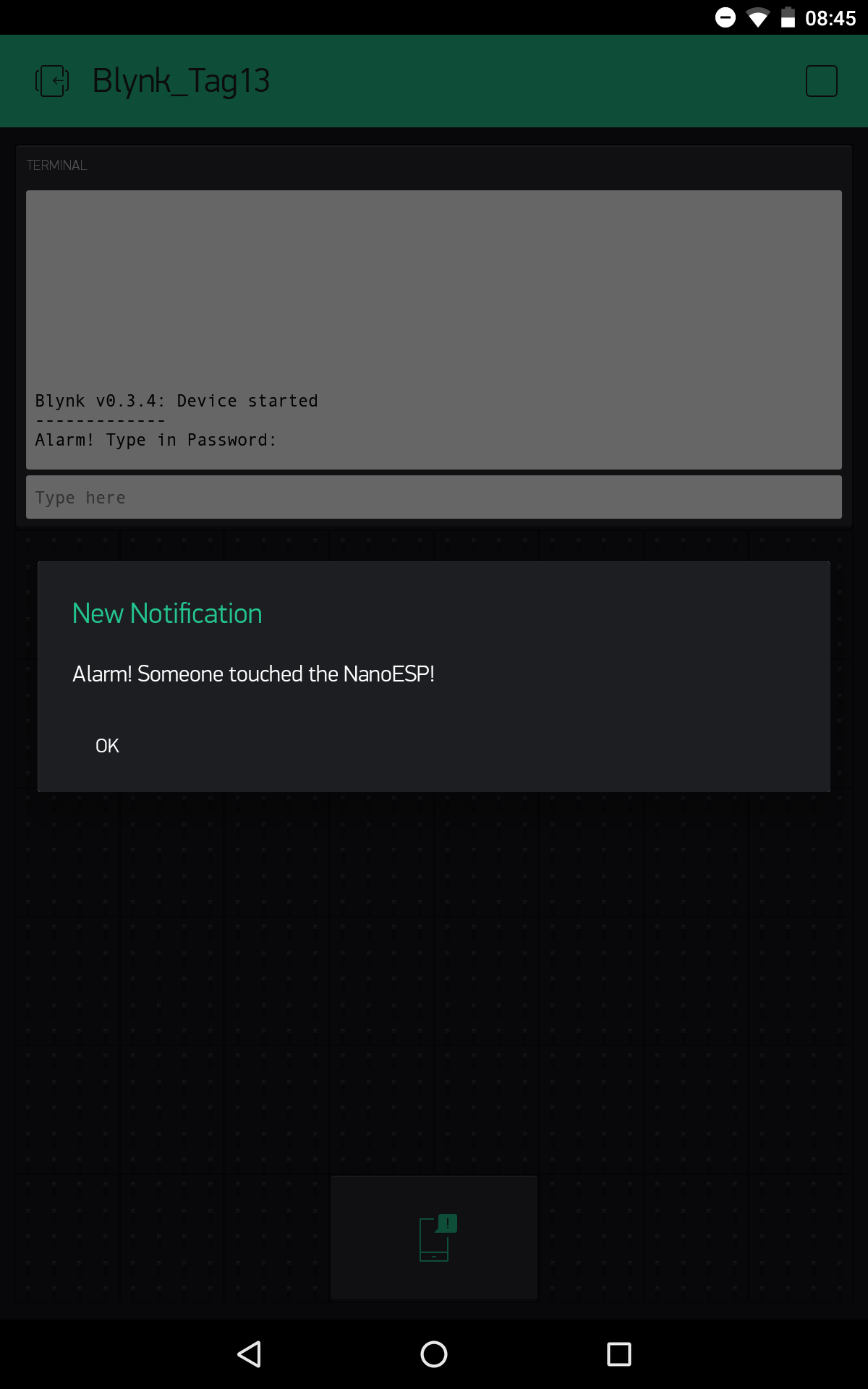
Today’s project deals with a simple silent alarm system with password input for resetting the alarm. So that you get anything at all from the alarm, the board sends a push message to your smartphone. We’ll set the tilt sensor that’s behind today’s door as a motion detector. It can give information about vibrations and thus inform you if someone tips the NanoESP board.
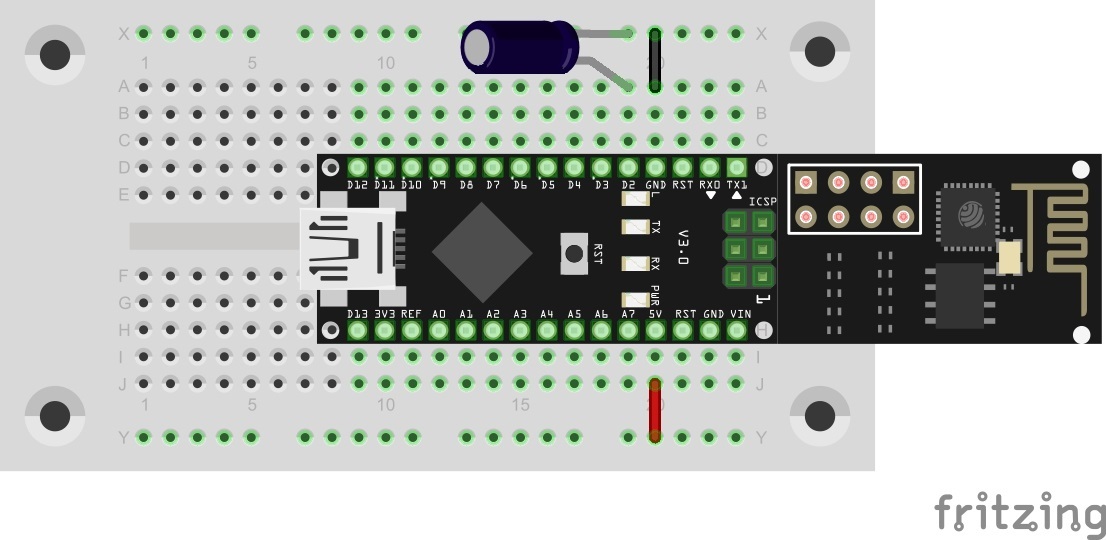
The sketch: A16_P13_Blynk9_PushAlarm.ino
/*
  Blnky9: PushAlarm
  Change ssid, password and token
*/

char ssid[] = "YourSSID";
char password[] = "YourPassword";
char token[] = "YourToken";

String passwordAlarm = "password";
String  alarmMsg = "Alarm! Someone touched the NanoESP!";

#define BLYNK_DEBUG
#define BLYNK_PRINT Serial    // Comment this out to disable prints and save space
#include <ESP8266_SoftSer.h>
#include <BlynkSimpleShieldEsp8266_SoftSer.h>
#include <SimpleTimer.h>

// Set ESP8266 Serial object
#include <SoftwareSerial.h>
SoftwareSerial EspSerial(11, 12); // RX, TX

ESP8266 wifi(EspSerial);
SimpleTimer timer;

WidgetTerminal terminal(V1);

boolean alarm = false;

void setup()
{
  // Set console baud rate
  Serial.begin(19200);
  EspSerial.begin(19200);

  Blynk.begin(token, wifi, ssid, password);

  //push msg
  Blynk.notify("Alarm active");

  pinMode(2, INPUT_PULLUP);

  //timer for blinking led on alarm
  timer.setInterval(1000L, blinkAlarm);
}

void loop()
{
  Blynk.run();
  if (alarm) timer.run(); else digitalWrite(13, LOW); //blink if alarm active

  if (digitalRead(2)) { //read tilt sensor
    if (!alarm) {
      alarm = true;

      Blynk.notify(alarmMsg); //push msg on alarm

      terminal.println(F("Alarm! Type in Password:"));
      terminal.flush();
    }
  }
}


BLYNK_CONNECTED() {
  Blynk.syncAll();

  terminal.println(F("Blynk v" BLYNK_VERSION ": Device started"));
  terminal.println("-------------");
  terminal.flush();
}


BLYNK_WRITE(V1) //Terminal
{
  //type in password on alarm
  if (alarm) {

    String passInput = param.asStr();

    if (passwordAlarm == passInput) {
      alarm = false;
      terminal.println(F("Alarm deaktivated"));
      terminal.flush();

    }
    else {
      terminal.println(F("Wrong password!"));
      terminal.flush();
    }
  }
}


//timer function for blinking led on alarm
void blinkAlarm()
{
  digitalWrite(13, !digitalRead(13));
}
(The former Arduino Create embed is no longer available; the code is taken from the download of all sketches.)
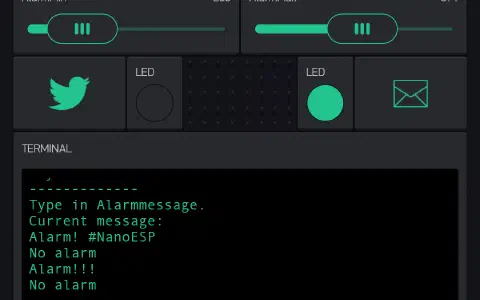
The Blynk interface for today’s project is kept quite simple. There is a terminal through which the important information is delivered. At the same time, the terminal is used to input the password. Set the password in the programme. If you haven’t entered anything, the password is “password”. There’s also another element, namely the push widget. Push messages are sent through it to your mobile. Push means that the message appears directly as a message on your smartphone. In the widget, you can choose between “Normal” and “High Priority.” With High Priority, the message is displayed immediately, but it needs significantly more battery. Now if someone tries to steal your NanoESP, you’ll get a message directly on your mobile.

31 comments
Comments are closed. These comments were posted on the former WordPress site (mostly in German).
Wie findet man raus wieviel Energie man noch hat?
Wenn man in nem Projekt ist und dann auf das Plus um ein neues Element hinzuzufügen sieht man in dem Menü wie viel Energie noch übrig ist.
Blynk ist irgendwie cool aber auch ganz schön verworren…
aber nach dem dritten Alarm war schluss, tat sich nichts mehr, musste statt "password" mein Blynk initierungs password eingeben und dann ging es wieder.
Irgendwie braucht das Ding 2 passwords: zuerst "password" (nachdem Alarm) und dann kommt "Alarm deactivated" was aber genau das gegenteil bedeutet (denn erst jetzt kann man wieder 'ne Meldung kriegen.
Naja man kann sicher auch damit 'ne Sirene anschalten und dann machts mehr Sinn.
All we have to do now is build a build and load pre-build code. Then we're pretty much on our own to find out what exactly happens to the code and how it works.
Besides that I learn a lot but it could've been a little bit more detailed!
http://fkainka.de/schnellstart-mit-dem-nanoesp-fuer-arduino-neulinge/
cmd error (sehe ich nur beim Seriellen Monitor in der Arduino Umgebung, nicht in der app)
Login timeout
Dann startet der nano neu und bestätigt mit:
Device Started.(Sehe ich in der App)
Hat noch jemand das Problem?
Ein falsches Passwort wird übrigens erkannt und abgelehnt.
50€ für die Tonne… zum kotzen. Mal sehn ob Conrad da was machen kann.
Das Programm selbst meldet den Alarm, ich kann das Password dann eingeben.
Die App darf Benachrichtigungen sende, sogar wenn es auf Nicht stören steht.
Enstellungen > Apps > Blynk > Benachrichtigungen: steht auf Wichtig (Alle blockieren: aus/ Priorität: an/ Einblenden zulasse: an/ Vertrauliche Inhalte ausblenden: aus)
Sony Xperia Z3 Compact D5803, ohne Branding, ungerootet, alle Software aktuell, alle Updates installiert, Android 6.0.1 23.5.A.1.291.
PS: Hab grad den Resetbutton auf der Platine gedrückt. Nach ein paar Sekunden kam eine "New Notification".
Limitations :
Maximum allowed body length is 120 symbols.
Only 1 notification per 15 seconds is allowed
hält man sich an die 15s-Regel, funktioniert es bei mir immer.
heute funktioniert es bei mir nicht. Ständig Fehlermeldungen:
<vw
<Blynk v0.3.4: Device started
[41312] Cmd error
[41337] <msg 20,7,18
[41338] Cmd skipped
[41338] Login timeout
Funktioniert tadellos bei mir.
Was mir noch fehlt ist ein Zeitstempel vor den Nachrichten, falls ich eine verpasse. So kann ich später nachvollziehen, wann eine Nachricht gesendet wurde.
Mir ist trotz Google-Recherche kein Weg aufgefallen, wie es einfach gehen könnte.
Hat jemand von Euch eine schlaue Idee?
Gruß, Conrad
ich denke der einfachste Weg ist das RTC Widget von Blynk, das die Zeit vom Server erhält (mit dem man ja ohnehin schon kommuniziert).
http://docs.blynk.cc/#widgets-other-rtc
Mit dem in der Dokumentation verlinkten Beispiel Sketch sollte das auch einfach in ein eigenes Projekt einzubinden sein.
Board ausschalten, also USB Kabel ausstecken
Reset-Knopf auf Board drücken und gedrückt halten
USB Kabel einstecken und immer noch Reset-Knopf gedrückt halten
In Arduino-Umgebung einen (leeren) Sketch öffnen und auf „Upload“ drücken, wie gewohnt
Warten bis in der Arduino-Umgebung die Statusmeldung „Uploading…“ erscheint
Dann Reset-Knopf loslassen
Kusmi musste das 2-3 mal probieren, aber dann hat es funktioniert
Setz außerdem mal bei den Voreinstellungen den Haken bei „Ausführliche Ausgabe während:“ „Hochladen“ und poste deine auführliche Fehlermeldung nochmal.
Am besten im Forum, dann findet man dein Problem auch wieder, sonst geht das in den Kommentaren wie du schon gemerkt hast ziemlich schnell unter.
es funktioniert irgendwie nicht immer korrekt. Wenn ich das Programm geladen habe, dann blinkt die dritte LED um zu zeigen, das Alarm ausgelöst wurde - ich habe aber das Board nicht berührt. Geben ich nun das Passwort ein, kommt die Alarmmeldung und das Handy vibriert. Gleichzeitig hat die Eingabe den Alarm nicht entschärft…
hinke hier ein wenig hinter her. Programm funktioniert, nur mit der Push-Nachricht hapert es (iOS System). Wenn die App geöffnet ist klappt alles wunderbar, sobald ich die App schließe bekomme ich keine Nachrichten mehr obwohl ich in der App "high priority" und in den Mitteilungs-Einstellungen alles auf ON gesetzt hab! Jemand das gleiche Problem o. nen Lösungsvorschlag?
DANKE schonmal im Voraus.
werde ich beizeiten ausprobieren. Ich komme ja kaum nach mit dem Basteln aus dem Kalender.
Gruß, Conrad
void setup()
einfügen:
//timer function for blinking led on alarm
void blinkAlarm()
{
digitalWrite(13, !digitalRead(13));
}