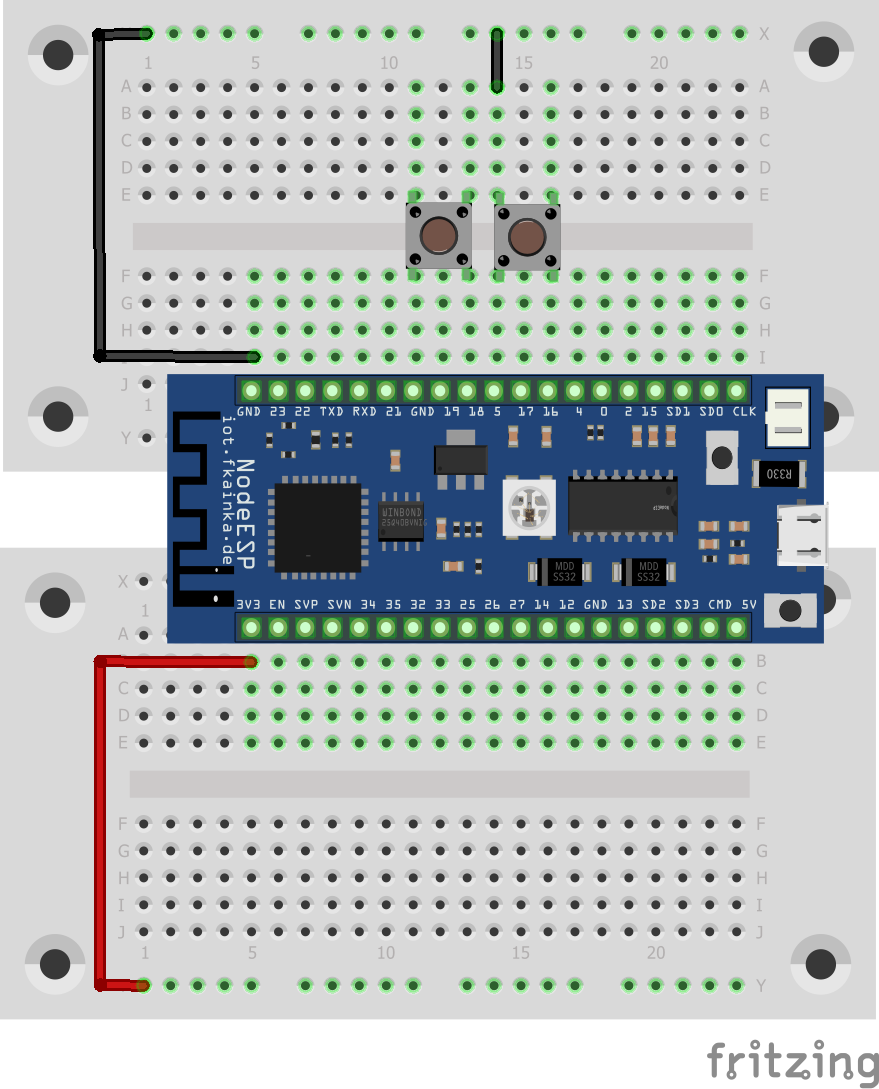
Today we will find again a button hidden behind the door of the Advent calendar. In our experiment today we will continue to cover the MQTT protocol, but this time in conjunction with Node-RED. We will also learn how two buttons can be evaluated simultaneously. The experiment today is structured as follows:

So now we have two buttons that we can use. We activate the program for today. Then we import the Node-RED flow. You need to adapt it slightly by replacing [PID] in the topic with your personal MQTT ID. That’s pretty easy if you use this trick:
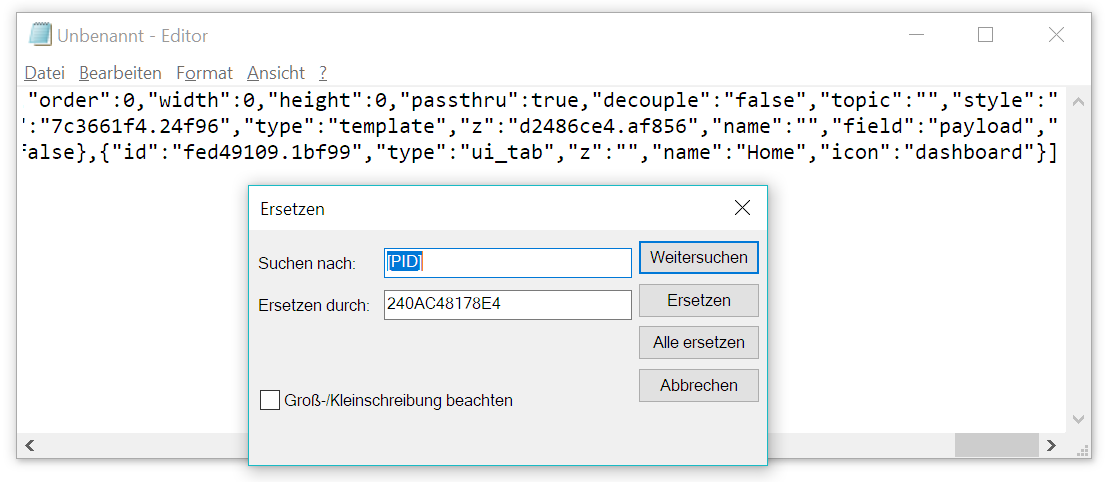
Copy the Node-RED flow into a text editor of your choice such as the Windows Editor for example. Select the Replace option (in Editor under Edit/Replace ([Ctrl + H]). Enter [PID] into the Search for field and enter your personal ID in Replace with. Click Replace All and you have adjusted the flow and are now able to import and start it in Node-RED. But don’t forget to disable previous flows.
In Node-RED go to the Debug tab and press a button on the breadboard. You will see the following message for example:
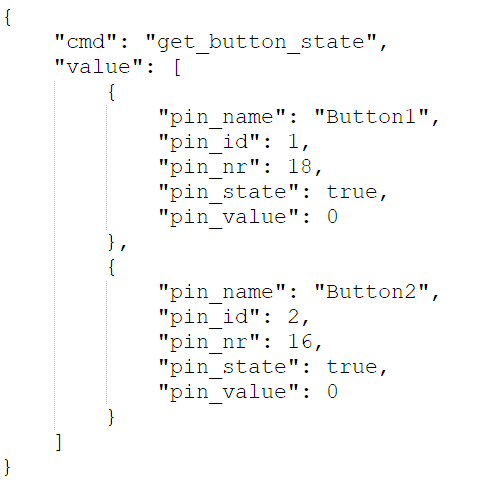
Key cmd will send the command get_button_state. Under value is an array with all buttons and their values. You can identify a button using pin_name, pin_id or pin_no. The first two values are already defined, the third indicates the used IO pin on the board. Pin_state indicates the button’s Boolean value, which is TRUE or FALSE or HIGH or LOW. By the way, if the button is not pressed, the pin value is TRUE, because the pin is pulled to high by means of the internal pull-up resistor and by pressing a button it is pushed too low. The pin_value key indicates an analogue value which is not important for our buttons.
I pressed Button2 here, and the board instantly sent a message with all enabled buttons and their values to the out topic that is affixed to the debug node and also to the topic
NodeESP/[PID]/button/state/get/out
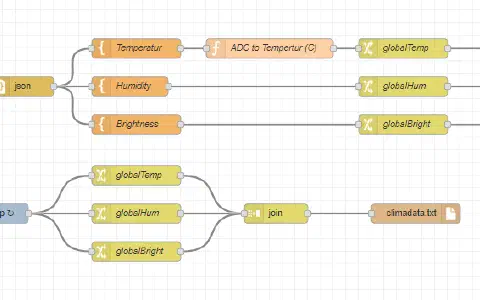
The latter topic is evaluated in Node-RED. Then there is a JSON node, which converts the plain text into a JSON object. Split node separates the button array into individual elements, which are passed on to the switch node one by one. This node checks the pin name and then determines which one of the two buttons that is. Template node then merely filters the value of the pin_state and sends TRUE or FALSE to the next node. This is a dashboard button that indicates a state, which is on, if the value was FALSE, and vice versa. Here it inverts the value of the button, so to speak.
If you switch to the Dashboard, for example by clicking on the Dashboard tab on the right and then click the rectangle with the up arrow, you, too, can see the two buttons. When you release the button, the board immediately informs you about the status change and you can see straight away, which button is pressed and which button is not pressed.
The huge advantage of MQTT and using an online broker is that you can assess the buttons from anywhere in the world. You could for example take the board with you to your job, while the Node-RED server is running on a machine at home. And then you could control the lights or the heating when you are on your way home, or you could use speech output to tell your folks at home that you are on your way. And all this you can do with a simple push of a button from anywhere in the world.
Hallo,
klappt wunderbar.
Beim debuggen bekomme ich pro Button zwei (2) Meldungen.
ok