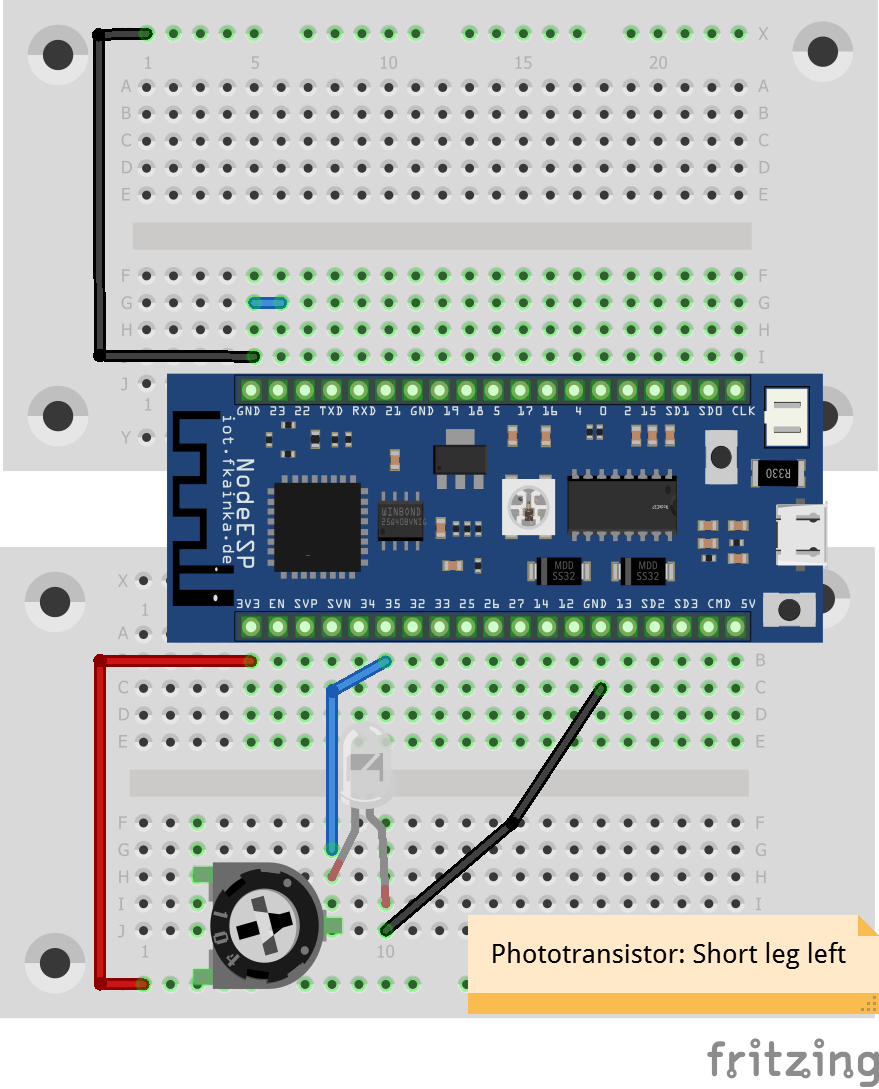
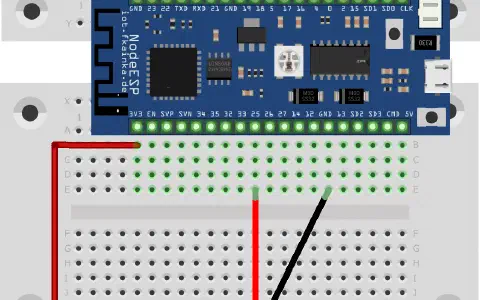
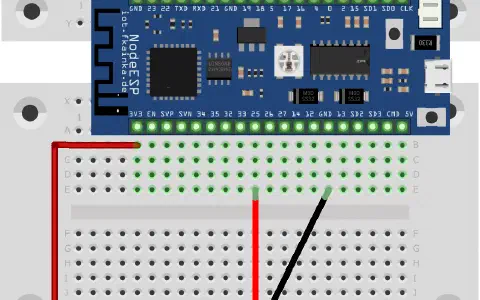
There is a battery compartment for three A batteries (4.5 V) hidden behind the door today that will 10. Tag power the board independently of a power outlet. For economical battery operation, we have the deepsleep mode. This mode allows the board to go into a deep sleep where it uses almost no power at all. After a certain time, the board wakes up, performs a modest task and goes back to sleep shortly after. In this mode a lot of energy is saved due to the long sleep and short wake times and ultimately the batteries will supply power to the board for months. The setup we will use today includes again the light sensor and it gets a wire jumper that connects pin 23 and GND.
Select the program of today. While the board now resets, the status LED will flash briefly green and turns off again. After approximately 20 seconds, the game starts all over, thus the deep-sleep mode is active.
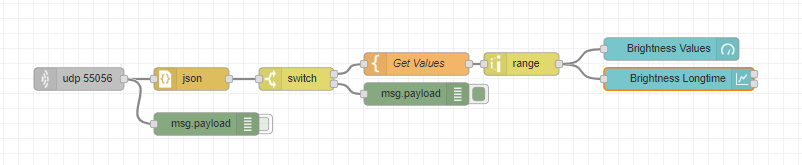
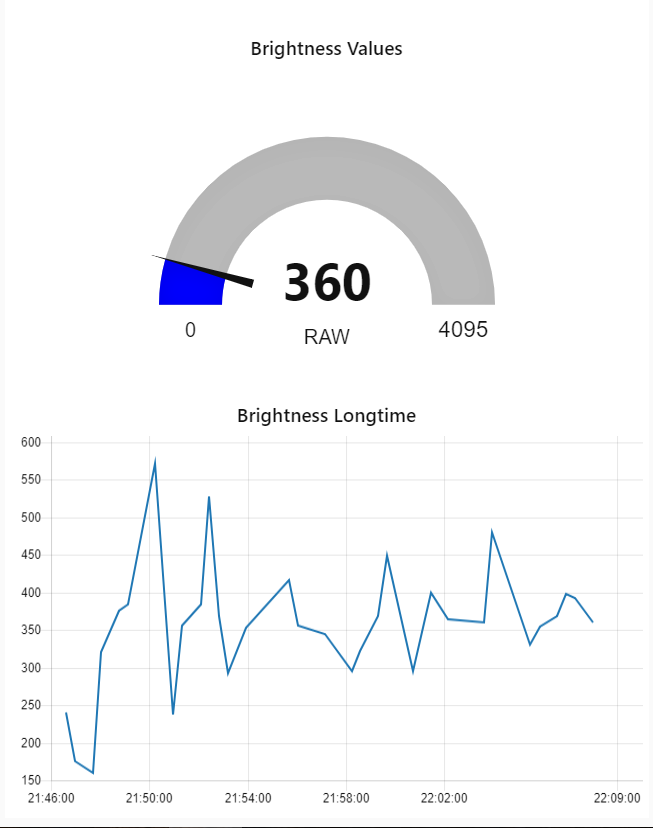
Today’s flow consists of a gauge and a chart. A chart is used to graphically display several measured values over a certain time. By the way, today we will reverse the readings by means of a range node, so that more light delivers a higher gauge and chart reading. You can now run the Node-RED instance on a machine or Raspberry while placing the board powered by batteries anywhere where it can measure the light over the entire day.

Note: Maybe you find it disturbing that the status LED flashes every 20 seconds, for example, if you want to measure the light distribution in your bedroom overnight. You can simply disable the function on the configuration page. And all you have to do to exit deep-sleep mode, remove the wire jumper from pin 23 and reset the board or wait for a deep-sleep cycle.
ich habe den heutigen Versuchsaufbau eingerichtet und alles funktioniert soweit wie beschrieben. Allerdings erlischt die Status-LED des Boards in der Schlafphase nicht komplett, sondern wird nur dunkel. Lediglich unmittelbar vor dem Aufwachen erlischt sie kurz. Ist das normal?
Viele Grüße und eine schöne Woche!
Kikovius