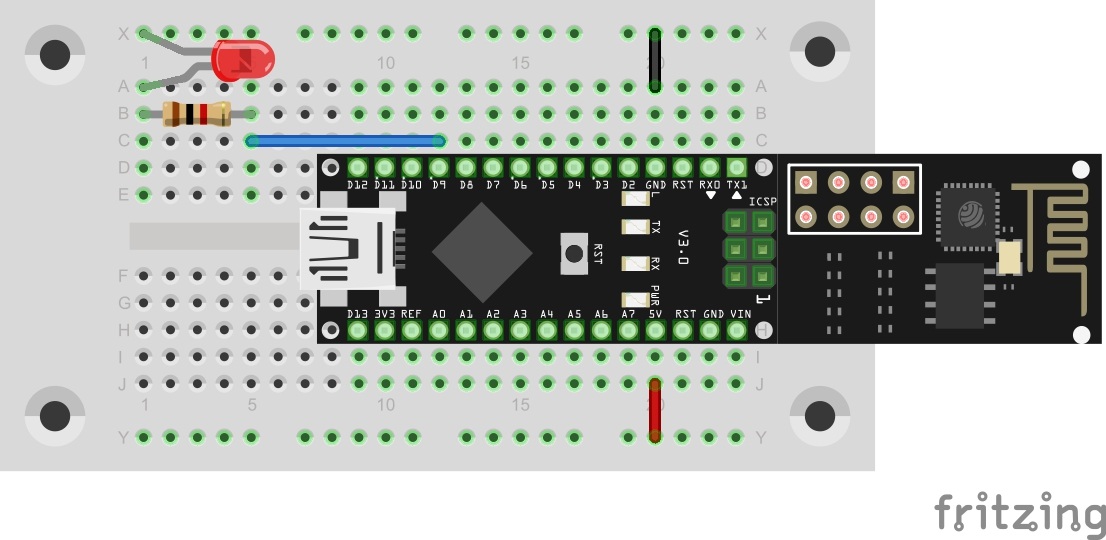
Today’s program is finally about controlling hardware via the UDP protocol. In this case, an LED is switched on and off with simple commands.

You will find an LED board behind the fifth door. The right dropping resistor already was in yesterday’s door. Build the circuit as the picture shows.
The program: Day5_UDPLED
! Attention: Some MAC-Users reportet a bug in the PacketSender-Software. This bug doesn’t allow you to change the ports. If you have problems with this bug you can change the ports in the Arduino program. All you have to do for todays project is to change the line 83 from
succes &= sendCom(“AT+CIPSTART="UDP","192.168.4.255",90,91”, “OK”);
to
succes &= sendCom(“AT+CIPSTART="UDP","192.168.4.255",5505,5506”, “OK”);
While the previous example programs needed many user inputs, today’s program is to work autonomously. Nevertheless, the serial monitor will continue to output information for debugging purposes.
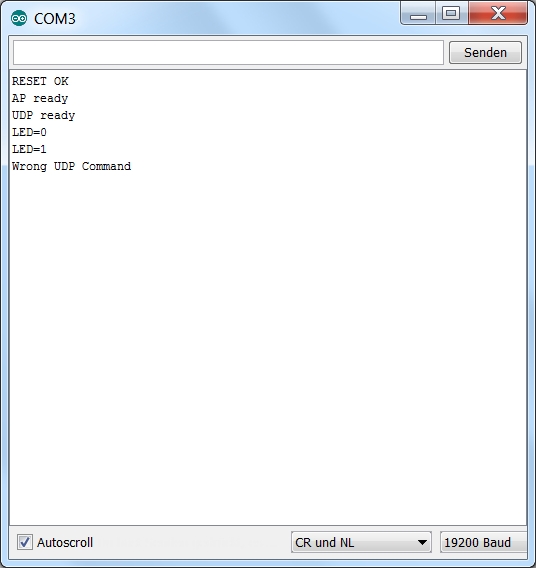
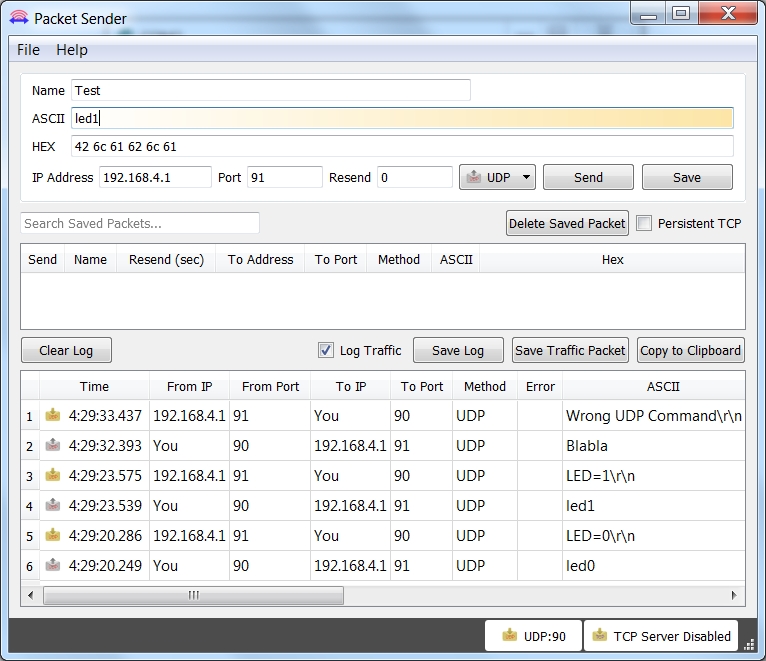
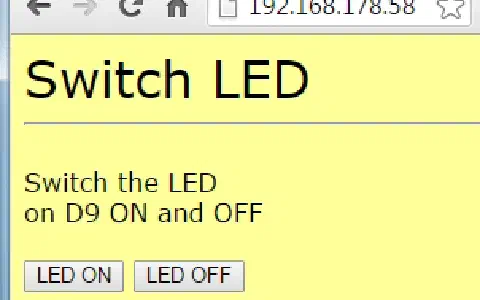
The controller will now wait for data received from the module that are announced by the +IPD message. Legitimate commands that you can send through the Packet Sender are led1 and led0. The controller interprets them and switches the LED on and off accordingly. Feedback to the transmitter is transmitted as well. If another command is sent, the serial monitor reports “Wrong UDP Command”. The same message is also submitted to the transmitter via the network.
Ich habe gestern schon Tag 5 bearbeitet !
Das Prog läuft super , ich steuere es von meinem Android Handy mit dem Programm UDP TCP Server-Free an. Eine LED ein und ausschalten geht sehr gut. Nun hab ich das Programm geändert um zwei LEDs zu steuern. Die erste LED geht gut aber die zweite muß ich immer mehrmals drucken damit sie ein und aus geht . Ich kenne mich mit Arduino Programmierung noch nicht aus . Ich programmiere nur bisher in BASCOM . Könnt ihr mal rüberschauen was ich falsch gemacht habe.
/*
UDP Controll LED.
No change necessary.
*/
#define DEBUG true
#define LED 9
#define LED1 8
#include
SoftwareSerial esp8266(11, 12); // RX, TX
void setup() {
Serial.begin(19200);
esp8266.begin(19200);
esp8266.setTimeout(5000);
if (sendCom("AT+RST", "ready")) {
debug("RESET OK");
}
if (configAP()) {
debug("AP ready");
}
if (configUDP()) {
debug("UDP ready");
}
//shorter Timeout for faster wrong UPD-Comands handling
esp8266.setTimeout(1000);
pinMode(LED, OUTPUT);
pinMode(LED1, OUTPUT);
}
void loop() {
if (esp8266.available())
{
if (esp8266.find("+IPD,"))
{
if (esp8266.find("led1")) {
int setLed = esp8266.parseInt();
digitalWrite(LED, setLed);
}
if (esp8266.find("led2")) {
int setLed1 = esp8266.parseInt();
digitalWrite(LED1, setLed1);
}
}
}
/*
Neue Zeilen
*/
}
//—————————————–Config ESP8266————————————
boolean configAP()
{
boolean succes = true;
succes &= (sendCom("AT+CWMODE=2", "OK"));
succes &= (sendCom("AT+CWSAP="NanoESP","",5,0", "OK"));
return succes;
}
boolean configUDP()
{
boolean succes = true;
succes &= (sendCom("AT+CIPMODE=0", "OK"));
succes &= (sendCom("AT+CIPMUX=0", "OK"));
succes &= sendCom("AT+CIPSTART="UDP","192.168.4.255",90,91", "OK"); //UDP Bidirectional and Broadcast
return succes;
}
//———————————————–Controll ESP—————————————————–
boolean sendCom(String command, char respond[])
{
esp8266.println(command);
if (esp8266.findUntil(respond, "ERROR"))
{
return true;
}
else
{
debug("ESP SEND ERROR: " + command);
return false;
}
}
String sendCom(String command)
{
esp8266.println(command);
return esp8266.readString();
}
//————————————————-Debug Functions——————————————————
void serialDebug() {
while (true)
{
if (esp8266.available())
Serial.write(esp8266.read());
if (Serial.available())
esp8266.write(Serial.read());
}
}
void debug(String Msg)
{
if (DEBUG)
{
Serial.println(Msg);
}
}
Danke