Today’s project is about another app of the ThingSpeak page, i.e. the TalkBack-App. This function permits creating a command that is read and executed by the controller. What appears nonsensical with a single controller does make sense when using two or an entire network of controllers. Some boards can act as sensors then, e.g. with motion detectors, and send a TalkBack command. Another module reads the command from the ThingSpeak page and then opens the door or reports an alarm.

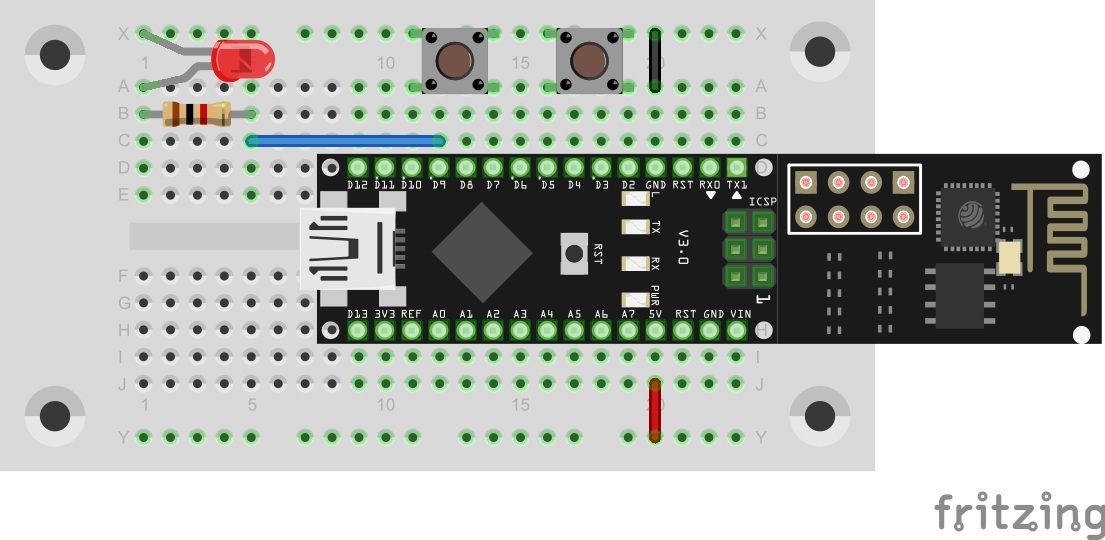
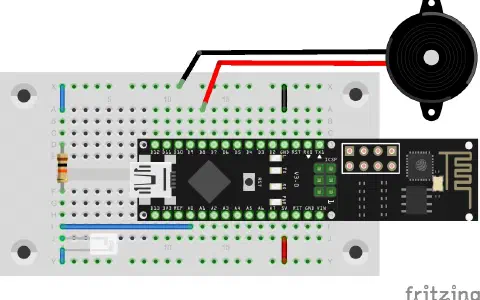
You will find another button behind today’s door. The setup of today’s experiment consists of an LED with a dropping resistor and two buttons as the figure shows.
The program: Day22_ThinkSpeakTalkback
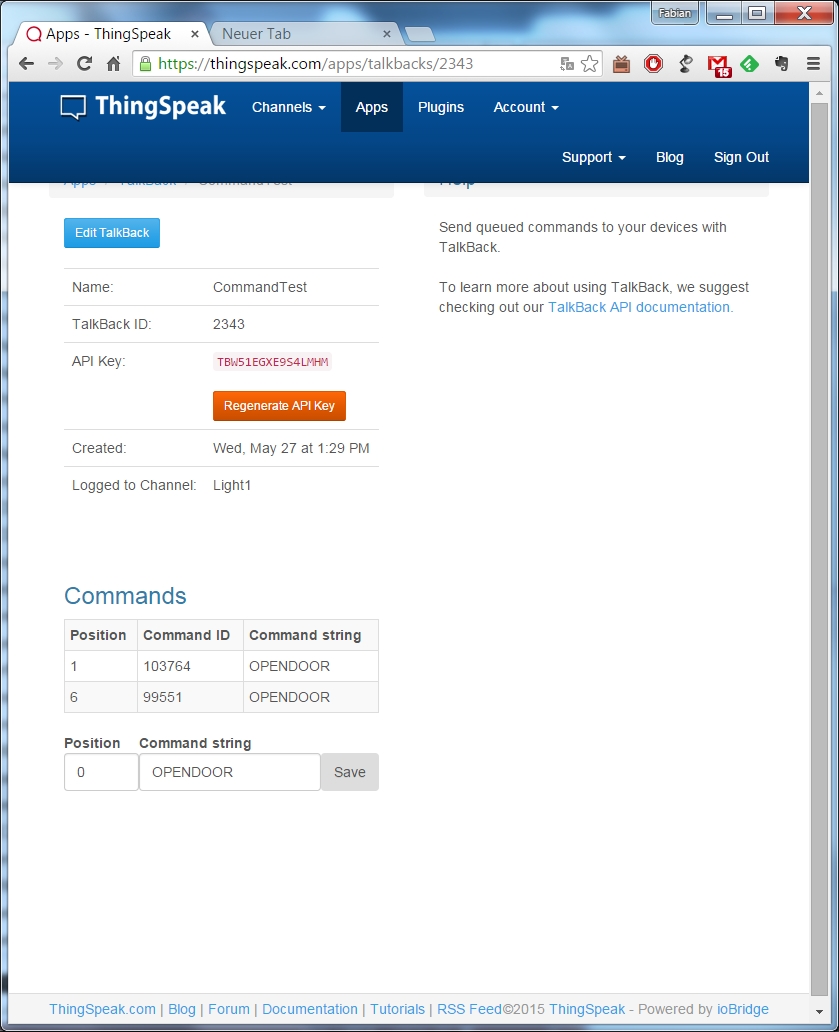
First, you need to create a new TalkBack channel under APPS – TalkBack. If you like, you can also have the commands entered in a channel. This can be the already-created light channel of the 19th day, or a dedicated channel. All commands are then logged. Particularly the API key, which you will enter in #define TalkBackKEY, is important. In addition to the API-KEY, you now also need an ID, which you will find in the overview under TalkBackID, after you have clicked Save-TalkBack. Enter #define TalkBackID into the program here.
If you upload the program now and call the serial monitor, you will first see the message No Command. Push one of the two buttons now. After a brief time, the message OpenDoor or CloseDoor will appear, depending on which button you pushed. For the OpenDoor command, the LED will also light up.
Hab den heutigen Fehler gefunden!