Today’s project is an alarm system with which you can, for example, check whether someone opens a drawer without permission. There is a continuous check for whether the connected light sensor is exposed to too much light. If this is the case, an alarm signal will sound and a message will be sent via Twitter.

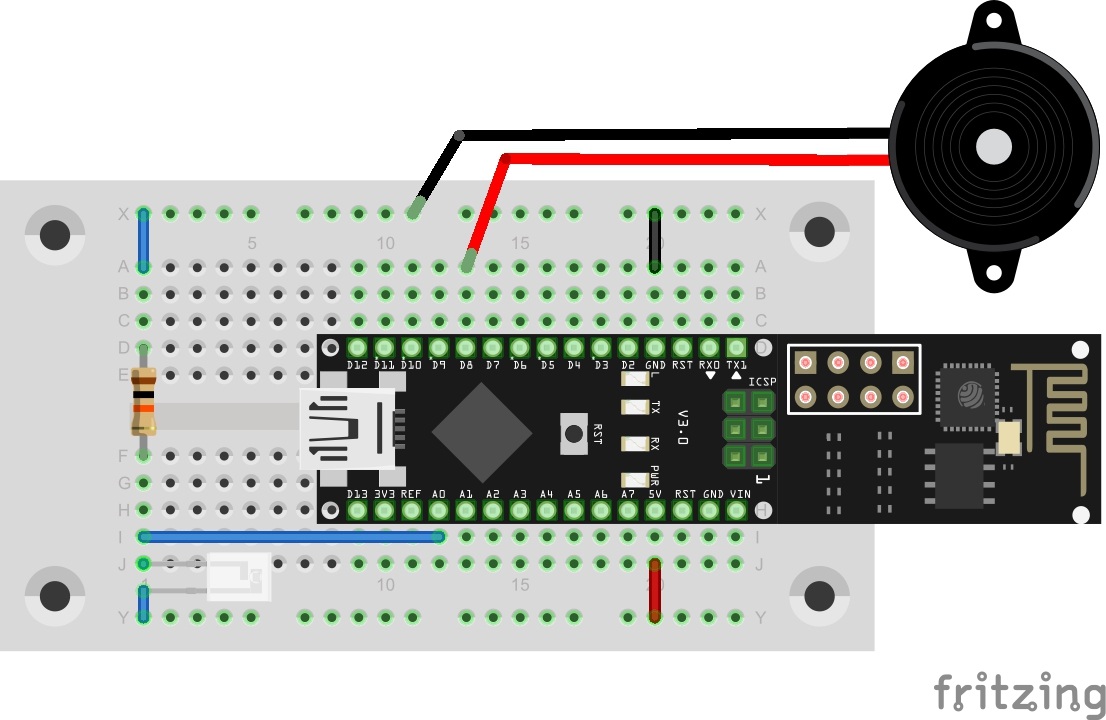
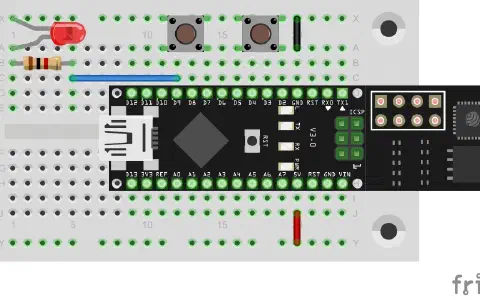
Behind today’s door, there is a Piezo speaker that is used as alarm signal encoder. The structure of today’s experiment is shown in the figure.
The program: Day21_ThinkSpeakAlarm
Today’s subject is, among others, the Twitter App of the ThingSpeak page. Click Apps and then ThingTweet. By clicking the link TwitterAccount and entering your access data, you will connect the two services. If you have no Twitter account yet, it will pay off to create a test account for processing the advent calendar. After Twitter has been successfully linked to ThingSpeak, you can enter the API key under Apps-ThingTweet
after the item #define TwitterKEY in today’s program. The program now continually reviews whether the measured brightness increases over 500. If this is the case, a Twitter message is sent and the alarm is sounded until the brightness drops below 500 again. The currently measured brightness values can be tracked via the serial monitor. For the first attempts, I recommend covering the light sensor to keep the alarm from being triggered early.

Ich wollte Fragen, ob es Erfahrungswerte gibt, wie lange der Arduino zusammen mit ner 9V Batterie ca mit dem Programm laufen lassen kann? (Bis der Saft aus ist)
Danke nochmals Fidixx