The website ThingSpeak offers a lot more than just long-time monitoring of sensors. Today’s project is similar to the projects from days 9 and 10 in its basic idea. Information is collected from a website on the internet. In this case, it is whether a specific stream is currently online or not.
There are two decisive advantages of the ThingSpeak version over the first attempts. First, the ThingSpeak page can also call websites via HTTPS (HyperText Transfer Protocol Secure), while the module only supports the unsafe HTTP-protocol. Second, the website can pre-filter important information and thus clearly reduce the data volume to be processed by the controller.
In today’s project, you will implement a twitch streaming display as an example of different options. Twitch is a website on which live games or information around the subject of computer games are streamed. One of the best-known streaming channels is RocketBeansTV from the former GameOne producers, which sends around the clock and therefore is well suitable for the first test. Later, you can, of course, use a channel of your choice.
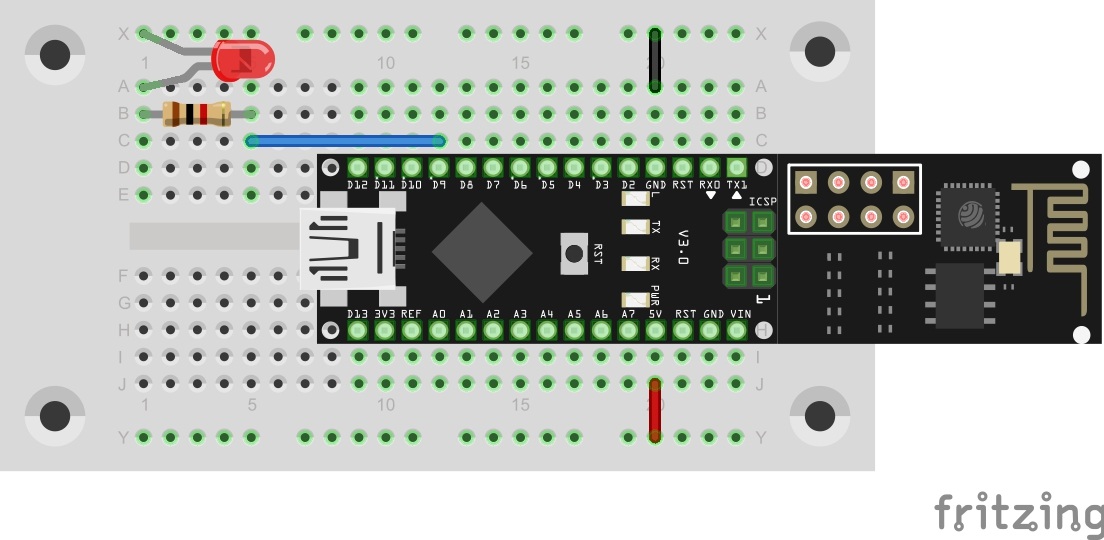
The program: Day20_ThinkSpeakTwitch
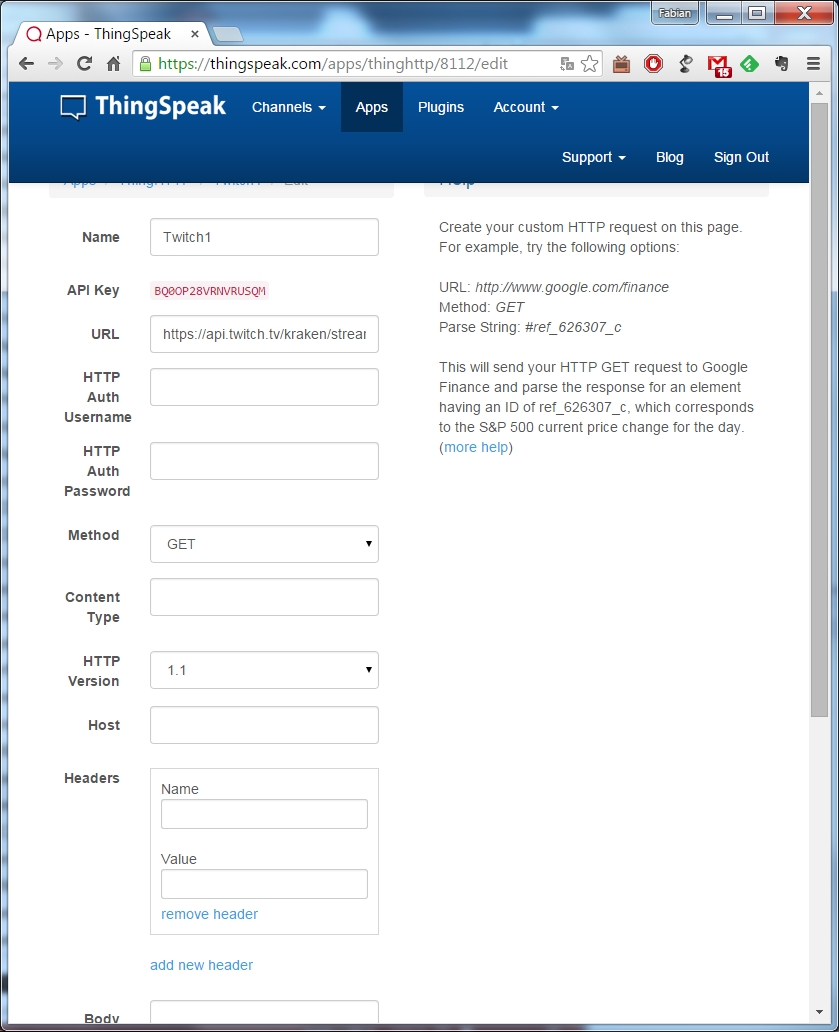
In addition to the hardware setup, some steps on the ThingSpeak page are necessary. When you click APPs in the top-most menu of the website, you will be shown a number of different application options. Today, we will deal with the ThingHTTP-App. If you click the corresponding button, you will first be shown a rather empty interface. Click New ThingHTTP. Enter the following into the form that comes up:
Name: Twitch
URL: https://api.twitch.tv/kraken/streams?channel=rocketbeanstv
Method: GET
HTTP Version: 1.1
Parse String: _total

If you prefer another streamer, you can enter another channel in the URL behind “channel”. Click Save ThingHTTP and then copy the API key that appears in the overview into your clipboard. You now need to copy the key into the program, after #define ThingHTTP. Do not forget the WLAN data. You can now upload the program. Once per minute, it will be checked if a stream can be found. If this is the case, the LED will light up.
ESP SEND ERROR: AT+CIPSTART="TCP","api.thingspeak.com",80
Stream Online
Auch die LED leuchtet, aber ich bin mir nicht sicher ob ich da alles richtig gemacht habe. gibt es auch die Möglichkeit das der Stream nicht gefunden wird und die LED erlicht.