With today’s project, you test whether you can reach the Google server. This is used as a test of whether there generally is a connection to the Internet or, e.g., a firewall is blocking the NanoESP-board.
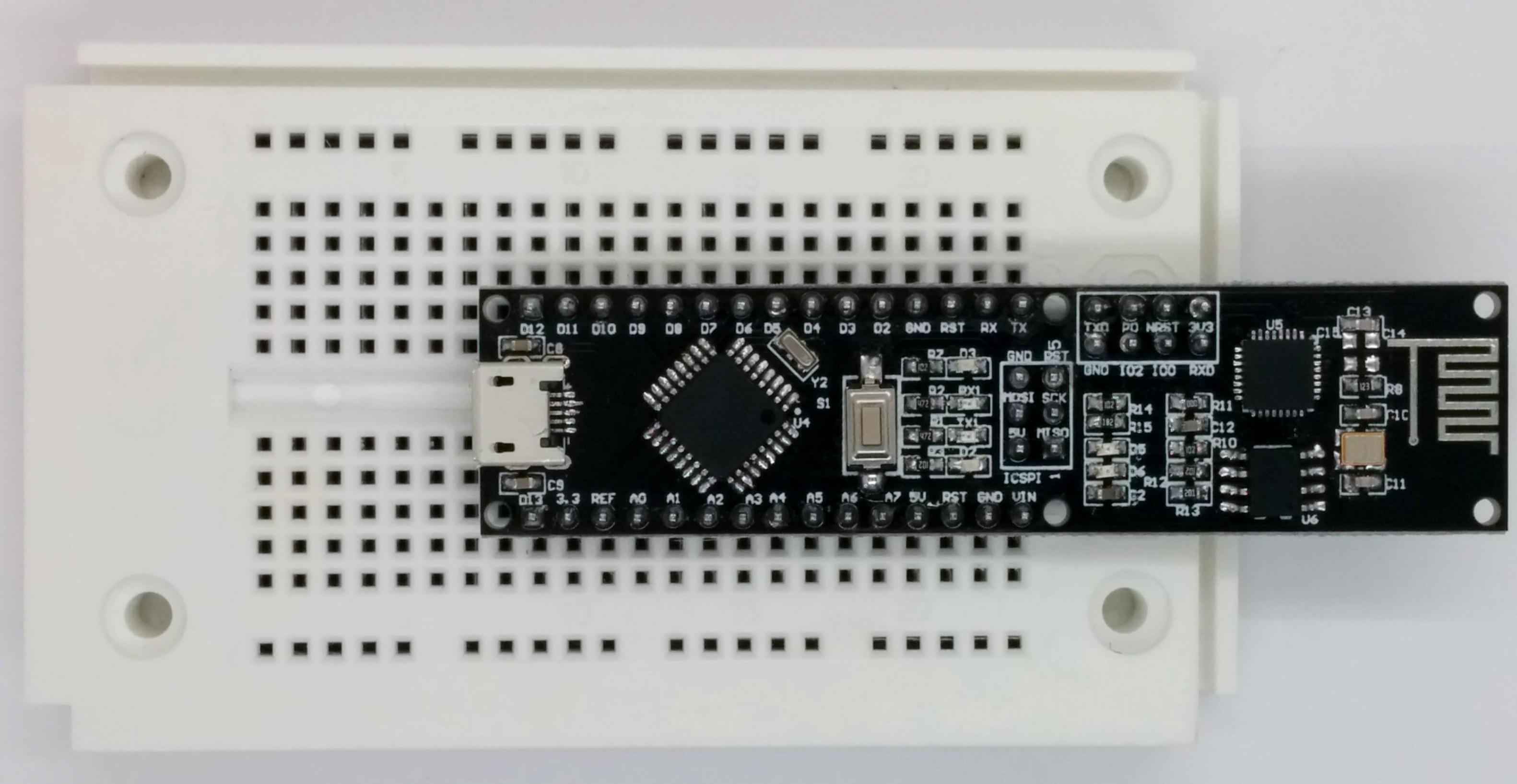
You will find a plug board behind today’s door. The plug board is used as an experimenting platform later, to connect sensors and other elements. It is best if you plug the controller onto the plug board as shown in the following figure. This leaves you the most space for experiments, while the WLAN module protrudes over the plug board at the rear. The micro USB cable is then suspended between the contact sides and will only interfere minimally.

The program: Day2_GooglePing
The example program from the website has mostly automated the processes that you entered manually in the first example. The controller sends commands to the ESP module in sequence, thus connecting to the WLAN, among others. The differently long time-out times give the module enough time to answer.
Before the programme can work properly, you need to enter your WLAN data behind the two #defines SSID and PASSWORT right at the
beginning of the programme source code. The module needs access to the Internet to execute its last command. The command
AT+PING
pings other devices in the network. Pinging means a request of whether an address can generally be reached. Here, the Google server is pinged with AT+PING=“www.google.de“. When a response returns, a success message appears in the serial monitor and the LED labelled D3 that is connected to Pin D13 at the board is activated. The first communication with the Internet is successful.
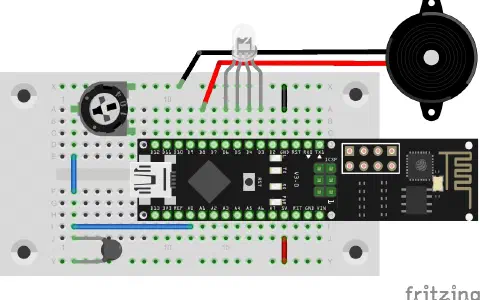
Ich traue mich nicht zu viel Kraft aufzuvenden. Andererseits steht das Nano-Board so locker auf dem Steckbrett, dass alleine das Gewicht des Micro-USB ausreicht das Adruino-Board in eine Schieflage zu versetzen.