Day 8: A browser

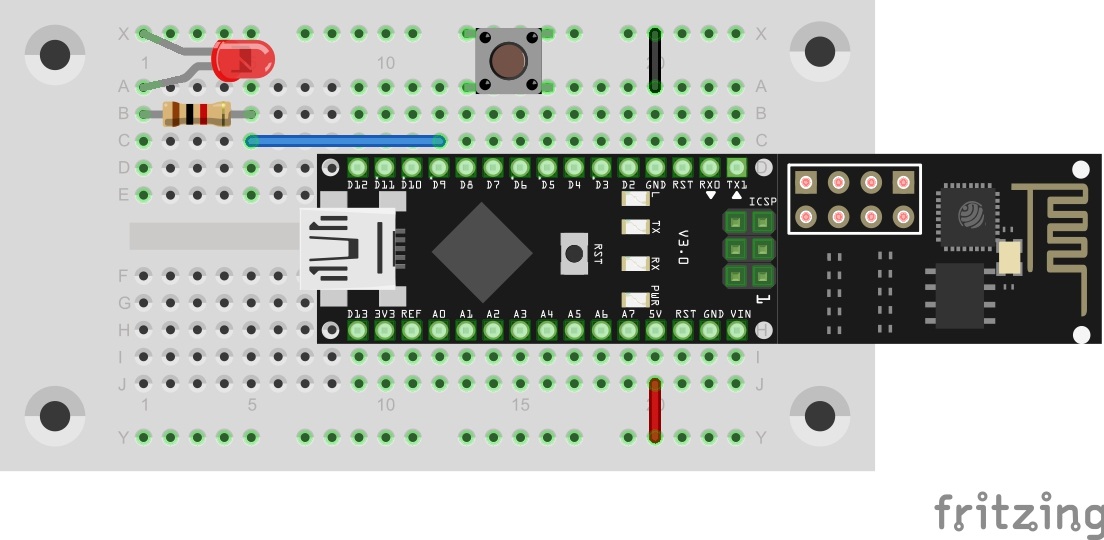
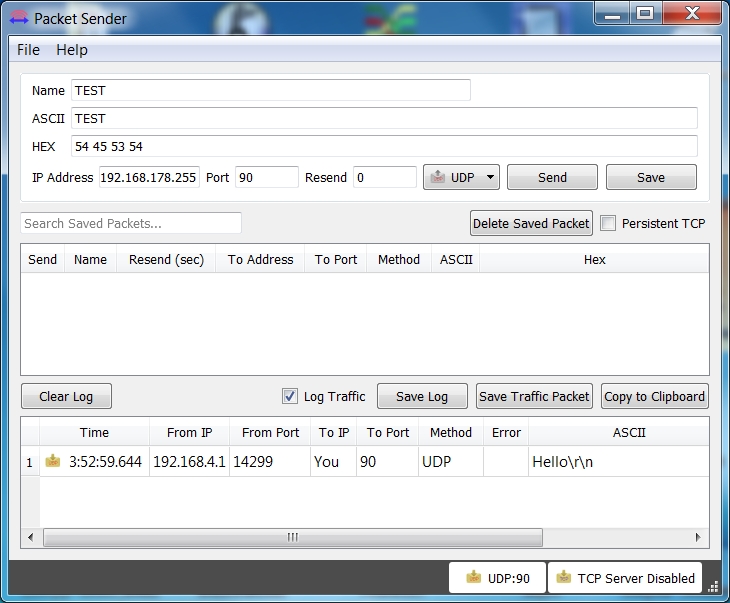
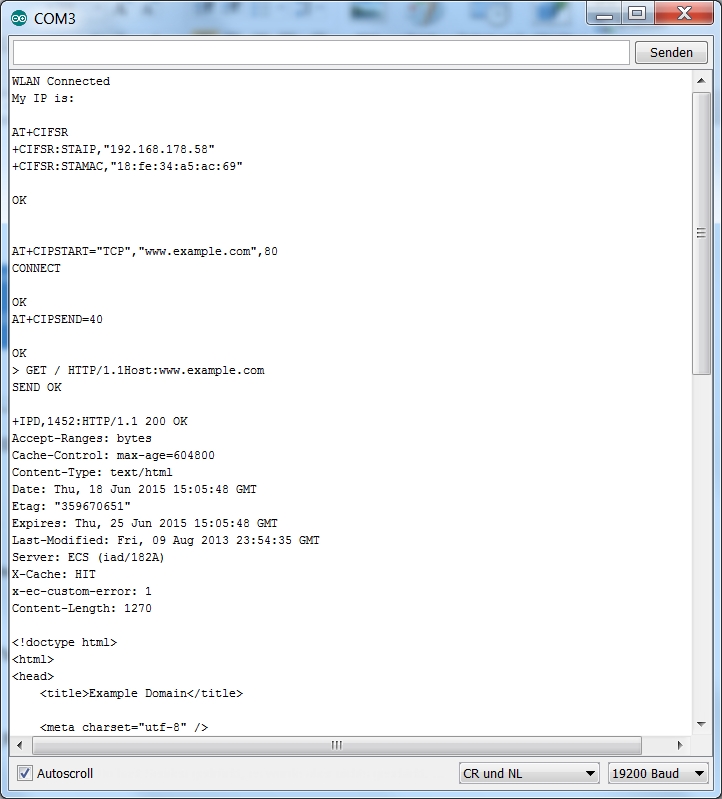
In the last days, we mostly dealt with the UDP protocol with which data can be sent out simply and directly. In the next few days, we will deal with the TCP (Transmission Control Protocol). TCP only permits one connection at a time between precisely two computers. It is mostly used online for browsing on websites. Behind today’s door, there is another resistor with 1 kΩ (brown, black, red). As with all other parts: keep it safe, even though you are not using this part today yet. ...
08.12.2015 · 2 min · Fabian Kainka

Tag 7 (special): Hinweis für Arduino Neulinge - Teil 2

Der erste Teil Arduino Beginner Kurses war scheinbar für viele sehr hilfreich. Deswegen habe ich mich dazu entschlossen, auch den zweiten Teil des Handbuches zu überarbeiten und online zu stellen. In diesem zweiten Teil geht es nun darum, Programme selbst zu schreiben und dabei auch etwas von den Grundlagen in der Arbeit mit Mikrocontrollern zu lernen. Diese Anleitung habe ich bewusst erst heute veröffentlicht, da an dem heutigen Tag auch alle nötigen Bauteile aus dem Adventskalender vorhanden sind, um die kleinen Projekte selbst testen zu können. ...

07.12.2015 · 1 min · Fabian Kainka

Day 7: Analogous sensor

In the last project, a button was used to deal with the simplest form of a sensor. This time, a potentiometer should be used as an analogue sensor to permanently send measured values into the network. Behind the 7th door of the advent calendar, there is a potentiometer with 10 kΩ. The setup is shown in the lower figure. The setup on pin A0 The program: Day7_UDPAnalog ...

07.12.2015 · 2 min · Fabian Kainka

Day 6: UDP-Button

In yesterday’s program, the first commands were evaluated by the controller. Today’s program maintains this function but can also additionally send a command into the network independently. The button on pin D8 You will find a button behind today’s door. It is used as a simple sensor here. Connect it to the controller as shown in the setup image. The program: Day6_UDPSwitch ! Attention: Some MAC-Users reportet a bug in the PacketSender-Software. This bug doesn’t allow you to change the ports. If you have problems with this bug you can change the ports in the Arduino program. All you have to do for todays project is to change the line 83 from succes &= sendCom(“AT+CIPSTART="UDP","192.168.4.255",90,91”, “OK”); to succes &= sendCom(“AT+CIPSTART="UDP","192.168.4.255",5505,5506”, “OK”); ...

06.12.2015 · 1 min · Fabian Kainka

Fritzing Bauteil - NanoESP & Pretzel Board

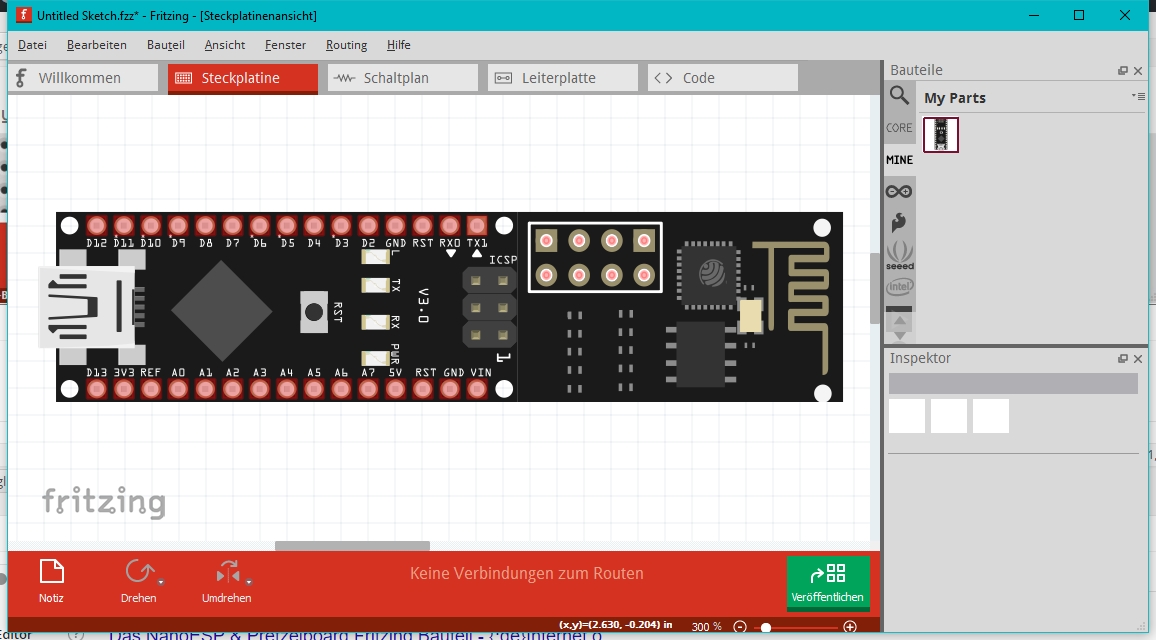
Fritzing ist eine Software, mit der man leicht und unkompliziert Aufbaupläne vor allem für Steckboard-Projekte erstellen kann. Viele verschiedene Arduino Controller aber auch Raspberry Pi und andere Boards weden schon in der Software unterstütz und erleichern so den Nutzern, einen übersichtlichen Plan zu erstellen. Dadurch fällt es einem selbst und auch anderen Nutzern leicht, das Projekt nachzuvollziehen und nachzubauen. Für die Bilder des Adventskalender habe ich ebenfalls die Fritzing Software benutzt und mir dafür ein NanoESP-Bauteil erstellt. Für alle, die ebenfalls mit dem Bauteil Schaltungen mit Fritzing erstellen wollen gibt es hier das Bauteil zum Downloaden. ...

05.12.2015 · 1 min · Fabian Kainka

Day 5: Switching an LED

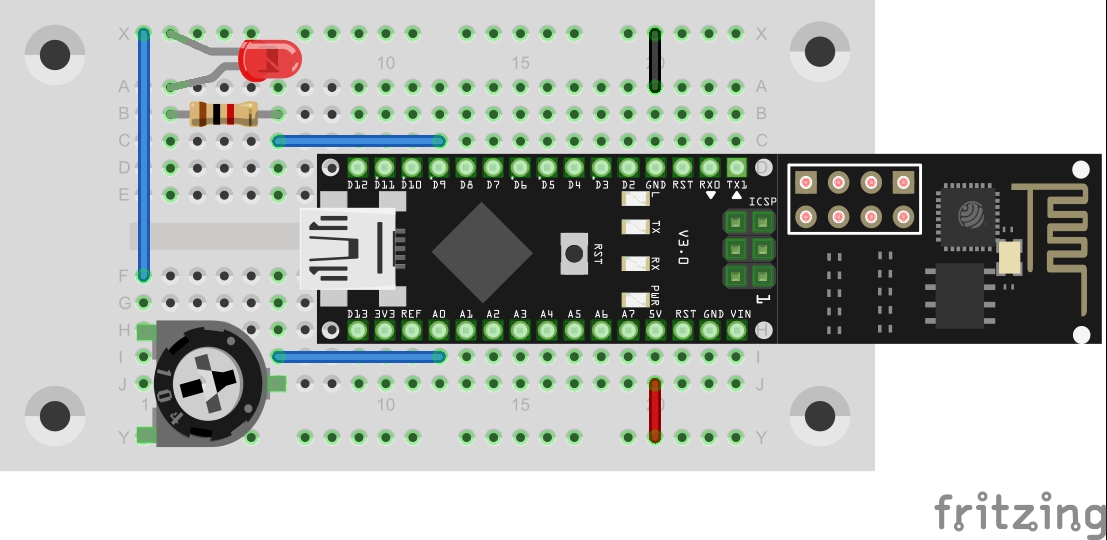
Today’s program is finally about controlling hardware via the UDP protocol. In this case, an LED is switched on and off with simple commands. The LED in Pin D9 You will find an LED board behind the fifth door. The right dropping resistor already was in yesterday’s door. Build the circuit as the picture shows. The program: Day5_UDPLED ! Attention: Some MAC-Users reportet a bug in the PacketSender-Software. This bug doesn’t allow you to change the ports. If you have problems with this bug you can change the ports in the Arduino program. All you have to do for todays project is to change the line 83 from succes &= sendCom(“AT+CIPSTART="UDP","192.168.4.255",90,91”, “OK”); to succes &= sendCom(“AT+CIPSTART="UDP","192.168.4.255",5505,5506”, “OK”); ...

05.12.2015 · 2 min · Fabian Kainka

Day 4: UDP bidirectional

In yesterday’s project, the UDP communication was tested in one direction, i.e. from the board to the PC. In this program, the module is set so that communication in the other direction is possible as well, almost like in a chat. Behind the fourth door of the Advent calendar, there is a resistor with 1 kΩ (brown, black, red). The component is not used in today’s test yet, but should be kept for later. ...

04.12.2015 · 2 min · Fabian Kainka

Day 3: UDP-Send

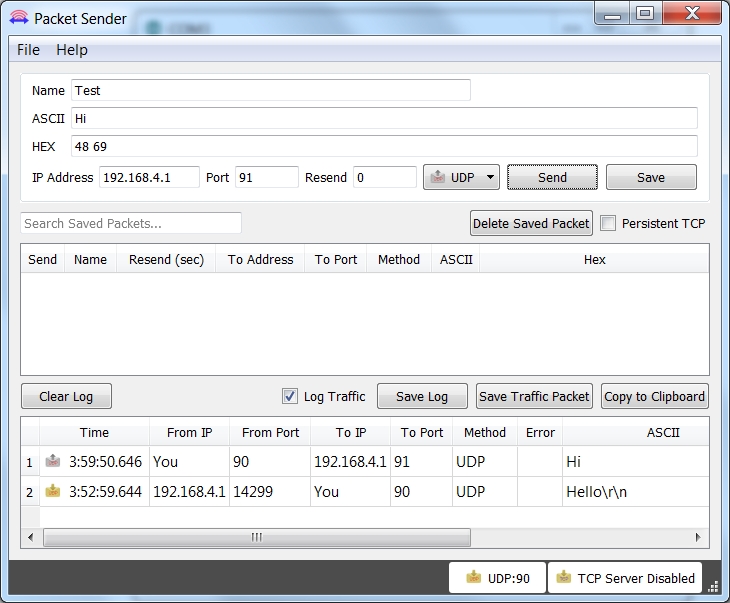
In today’s project, data are exchanged between the board and the PC through the WLAN for the first time. The prerequisite for this is that your computer has a WLAN adapter. The UDP (User Datagram Protocol) is used. Another program on the PC-side ensures successful receipt of the messages. Behind the third door of the calendar, you can find an insulated cable that you will need to build circuits. To prepare for later experiments, you can place the supply lines ground and VCC on the outer tracks. ...

03.12.2015 · 3 min · Fabian Kainka

Day 2: Google Ping

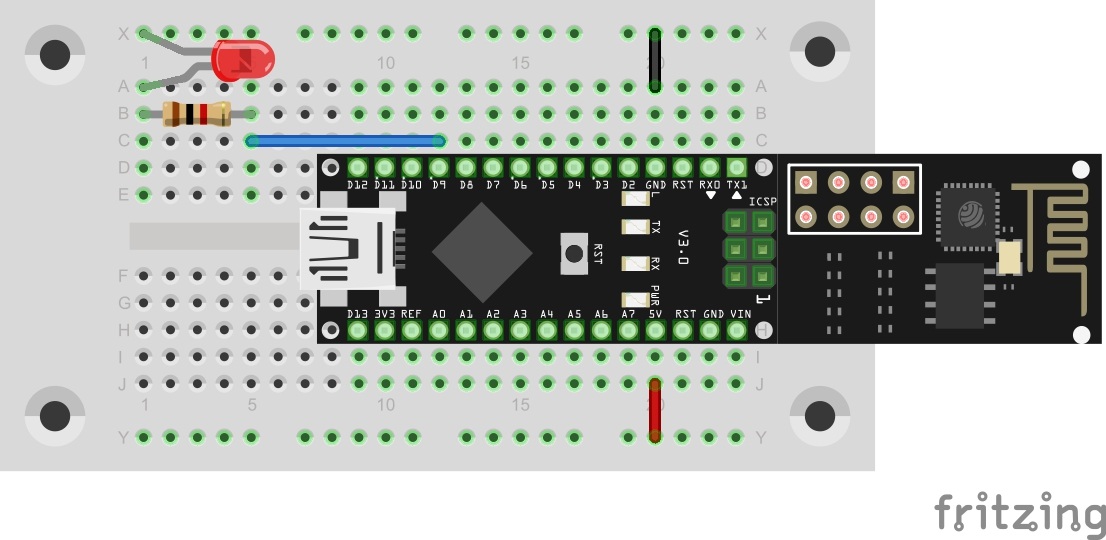
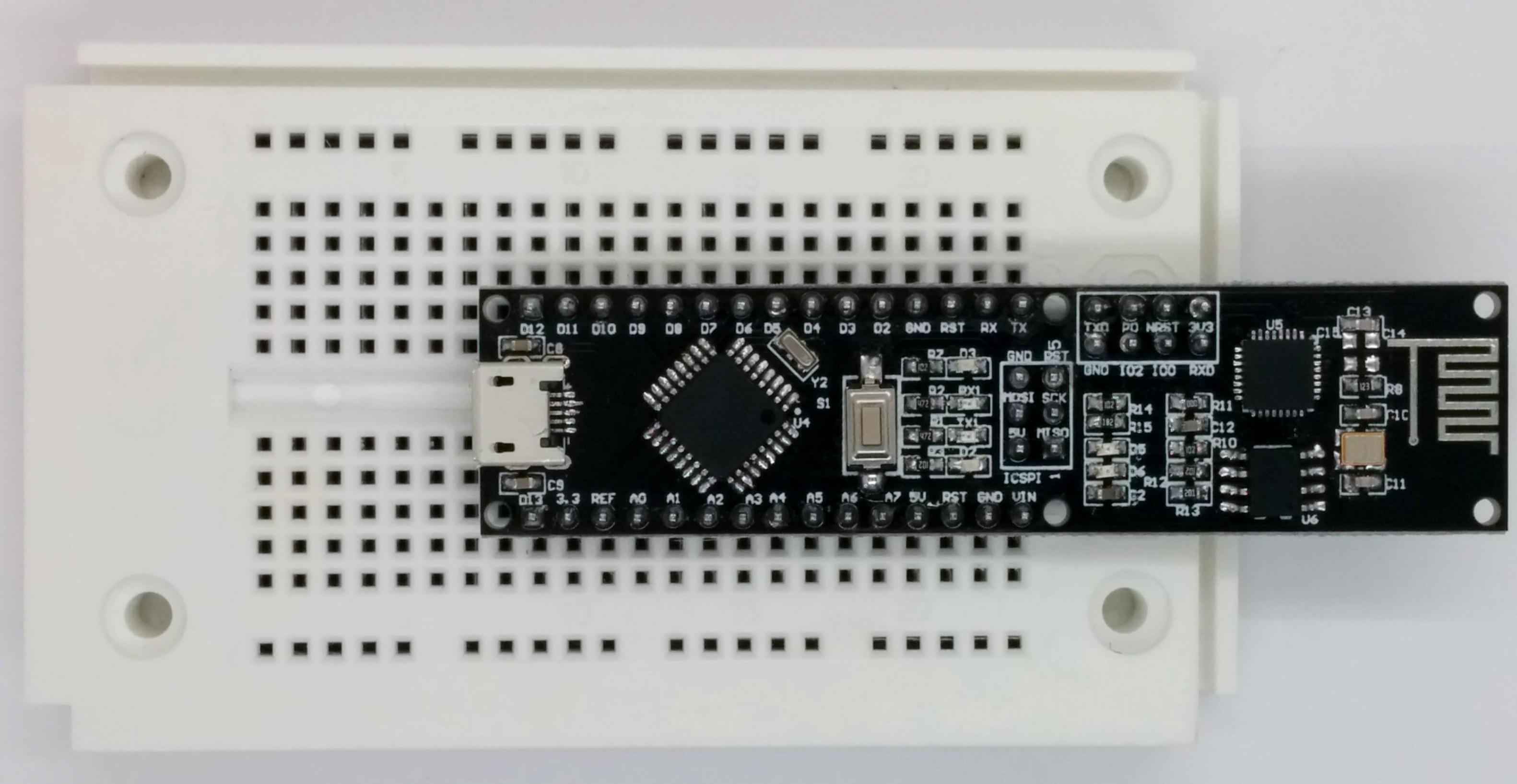
With today’s project, you test whether you can reach the Google server. This is used as a test of whether there generally is a connection to the Internet or, e.g., a firewall is blocking the NanoESP-board. You will find a plug board behind today’s door. The plug board is used as an experimenting platform later, to connect sensors and other elements. It is best if you plug the controller onto the plug board as shown in the following figure. This leaves you the most space for experiments, while the WLAN module protrudes over the plug board at the rear. The micro USB cable is then suspended between the contact sides and will only interfere minimally. ...

02.12.2015 · 2 min · Fabian Kainka

Tag 1 - Hinweis für Arduino Neulinge

Der erste Tag des Adventskalenders ist bereits rum und ich war überrascht und erfreut über all die Kommentare. Sehr gefreut hat mich vor allem die Bereitschaft der Community sich gegengeseitigt mit diesem zugegebenermaßen nicht völlig einfachen Thema zu helfen. Aus den Kommentaren konnte ich außerdem herauslesen, dass der Ein oder Andere noch nie mit Arduino oder Mikrocontrollern im Allgemeinen zu tun hatte. Deswegen habe ich unter dem unten stehen Link einen längeren Artikel veröffentlicht, der ein Auszug aus einem meiner ersten Schnelleinstieg Hefte darstellt. Ich hoffe, dass ich damit einigen Leuten den Einstieg in den Adventskalender erleichtern kann. ...

01.12.2015 · 1 min · Fabian Kainka